Fill and sign a paper form
with just your iPhone.
A scanned form is a picture of a page: there are no boxes to tap, so many PDF apps can't fill it in. In eSign you scan the paper with your camera, place your own fields over the blanks, then sign it and send it back as a PDF.
Updated By Alina Bohuslavska, maker of eSign
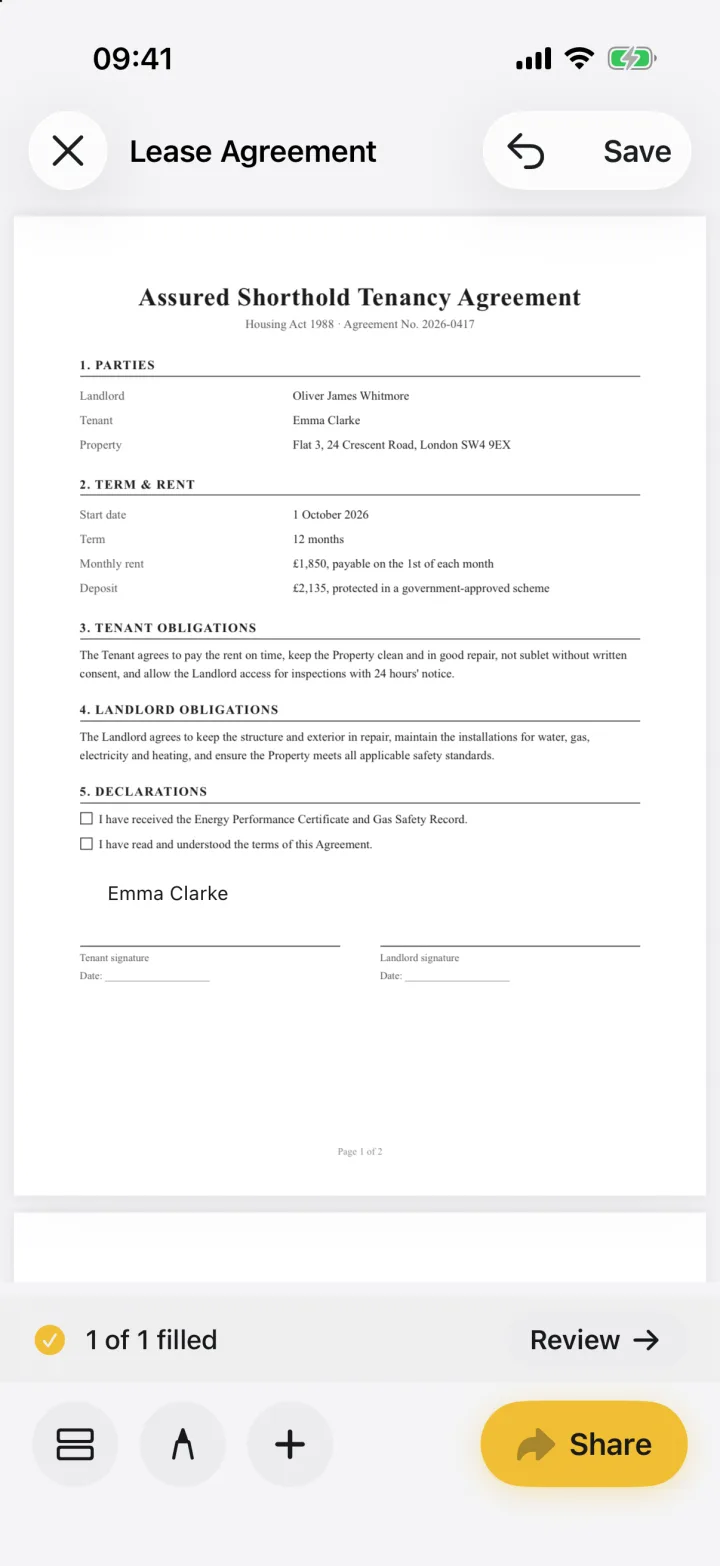

Open eSign, tap Sign a document, choose Scan a document and scan each page. Then tap + to place text, date or checkbox fields over the blanks, fill them in, add your signature and share the result as a PDF. Scanning and filling run on your iPhone, and the form is never sent to us.
Fill and sign a scanned form in five steps
- 1
Scan the paper form
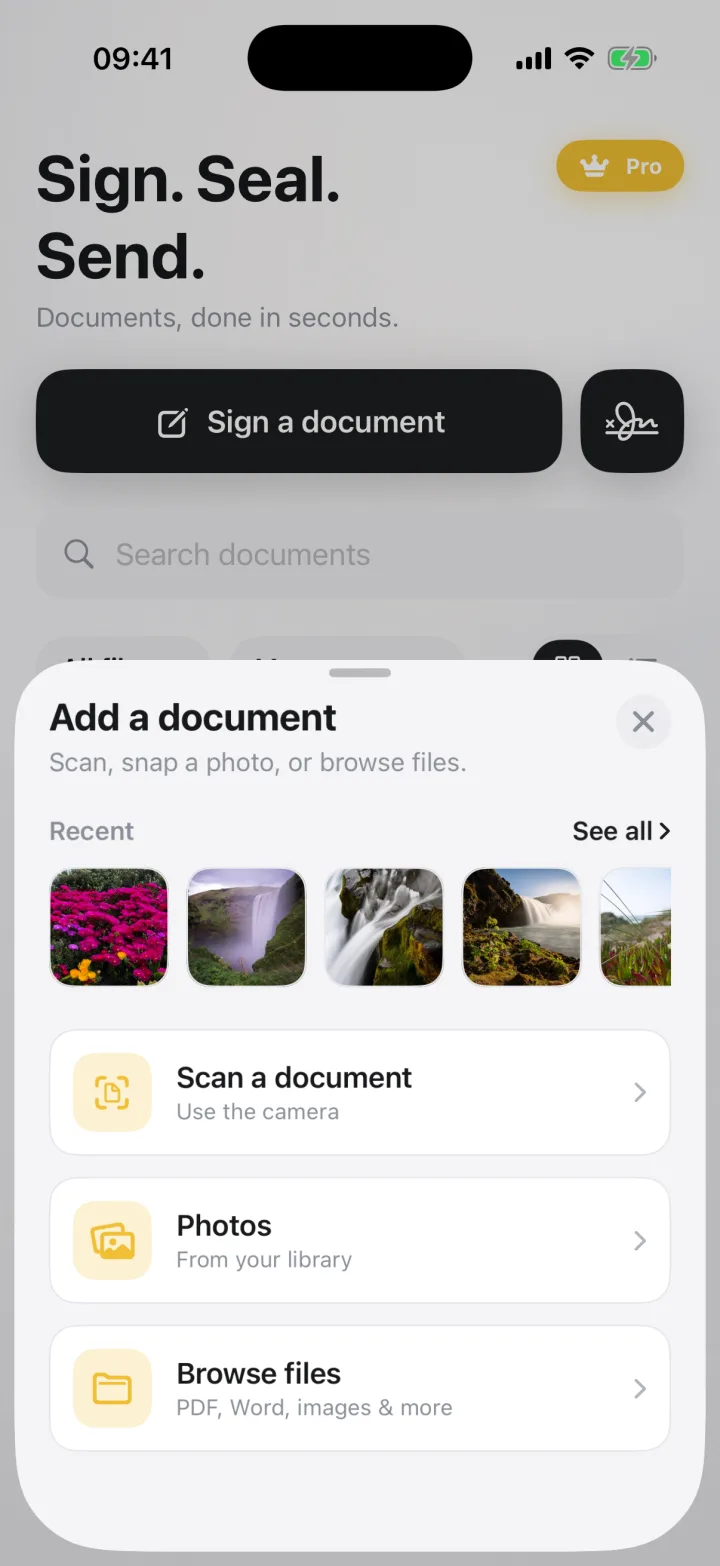
Tap Sign a document and choose Scan a document. The camera finds the edges of the page; scan every page, then tap Save. Already have a photo or a scanned PDF? Choose Photos or Browse files instead.
- 2
Add fields over the blanks
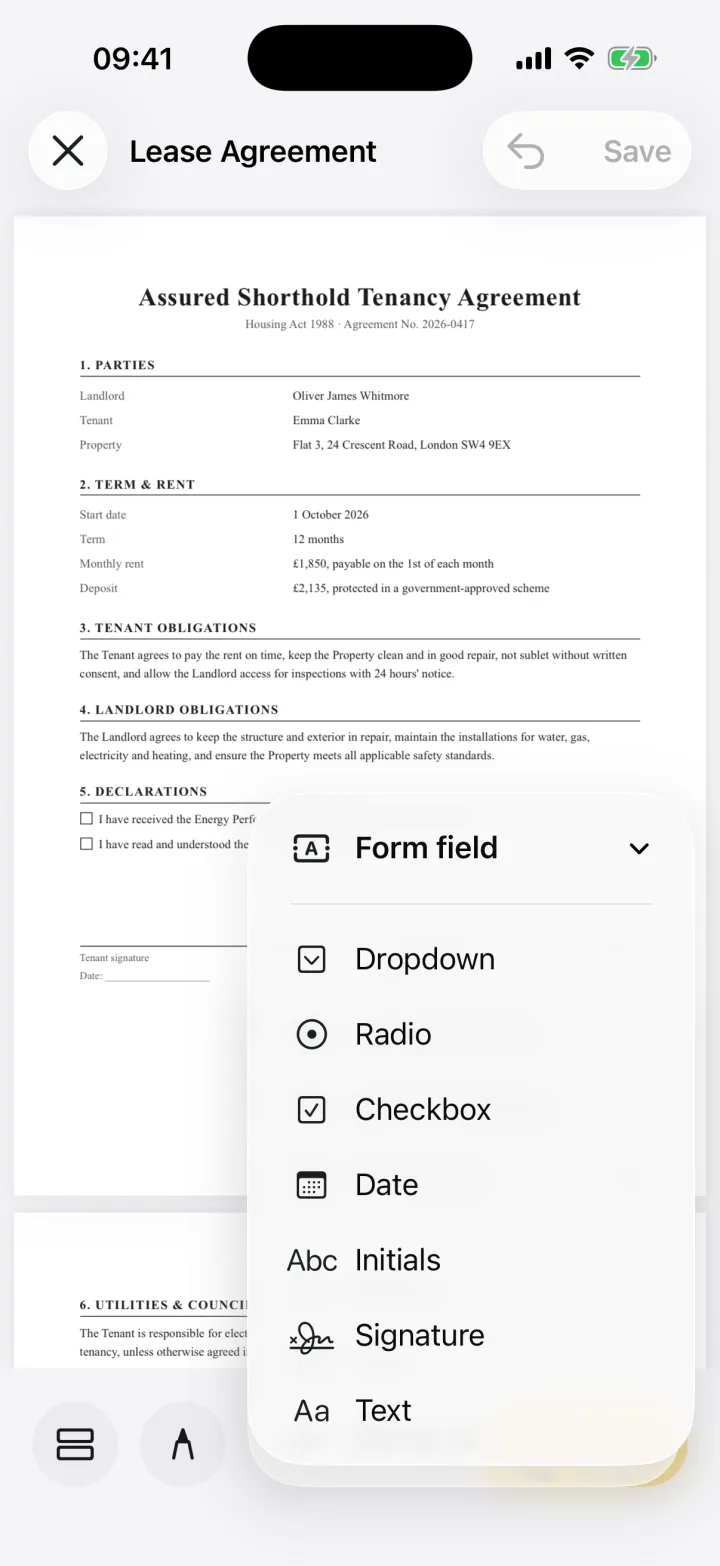
Tap +, then Form field, and pick Text, Date, Checkbox or another type. Drag the field over the blank on the page and resize it to fit.
- 3
Fill it in
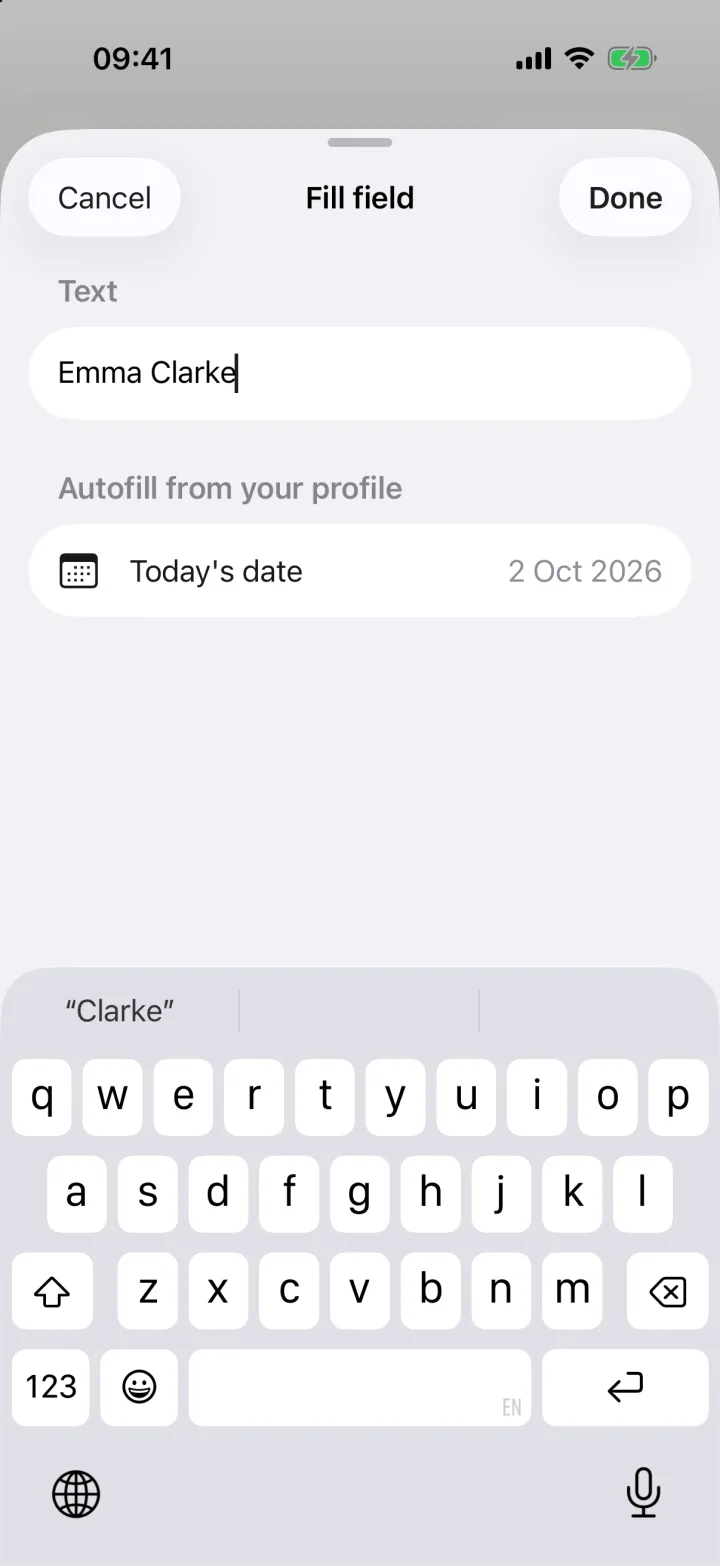
Tap a field to type into it. Details you saved to your autofill profile, like your name or address, are one tap away.
- 4
Sign it
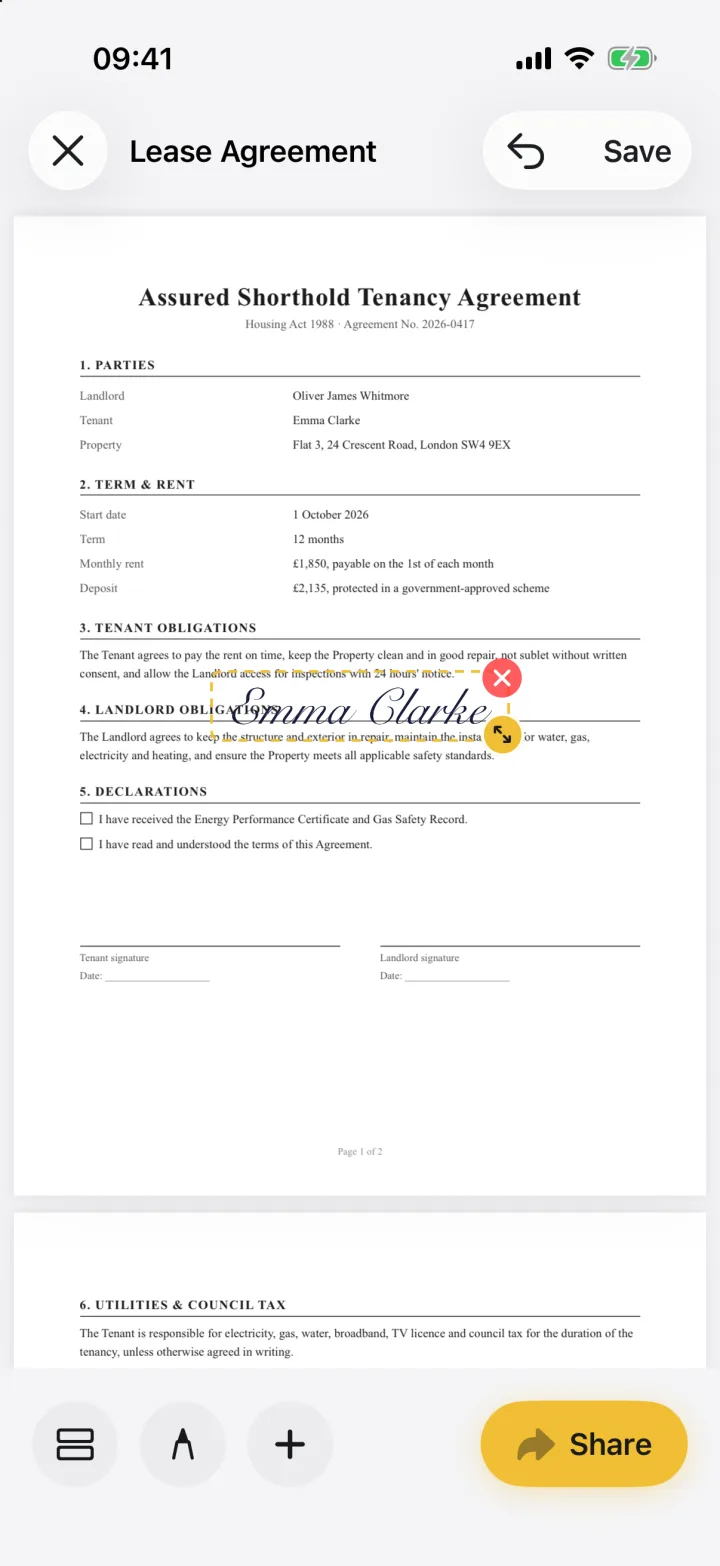
Tap +, then Signature, and place your signature on the line. Draw it with your finger, type it, or lift your real signature from a photo of paper.
- 5
Share it as a PDF
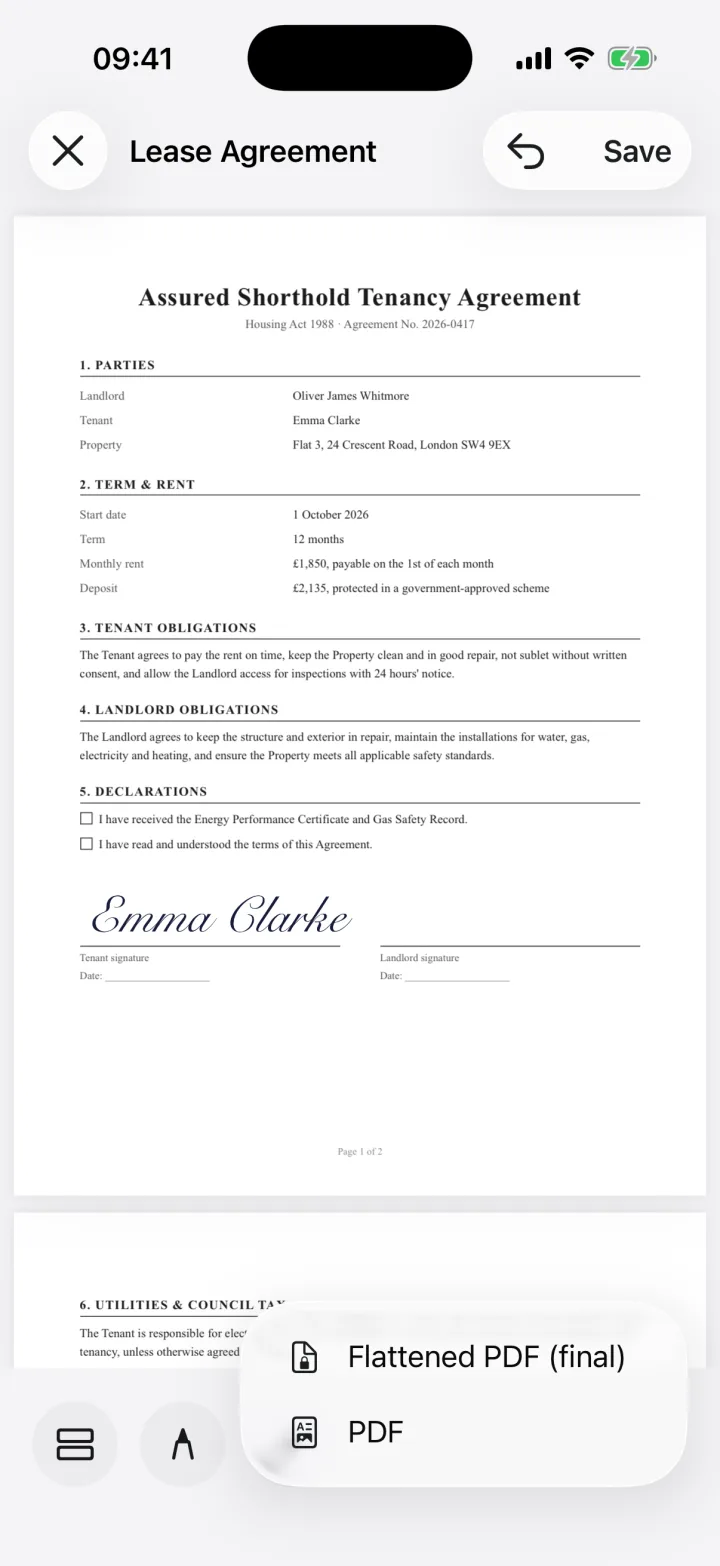
Tap Share and choose PDF, or Flattened PDF to burn the fields and signature into the page so they can't be moved. Send it by Mail or Messages, or save it to Files.
Why a scanned form has no fillable boxes
A fillable PDF has form fields built in. A scan is only an image of the paper, so there's nothing to tap until you place the fields yourself.
If the same form comes back every month, save your field layout as a template (+, then Save layout as template) and reuse it on the next copy.
Tips for a clean scan
- Lay the form flat on a dark, plain surface in good light
- Hold the phone straight above the page so the text isn't skewed
- Scan every page in one go, so the form stays one document
Common questions
Can I fill out a paper form on my phone?
Yes. Scan it in eSign, place text, date or checkbox fields over the blanks, fill them in, sign and share it as a PDF. No printer or scanner needed.
Do I need a separate scanner app?
No. eSign has a document scanner built in (Scan a document). You can also open a photo or a PDF you scanned somewhere else.
Does this work on iPad?
Yes. The same steps work on iPad.
Is my scanned form uploaded anywhere?
It's never sent to us. Scanning, filling and signing run on your device. With iCloud Drive on, your documents sync through your own private iCloud between your iPhone, iPad and Mac.
Keep reading
Ready when the
next one lands.
Free to try · No account needed