Paperwork between viewings,
done in the car.
Agents live on their phones. Offer forms, agency agreements and checklists arrive as PDFs and scans that need your details and signature before the next appointment. eSign handles them without going back to the office.
Updated By Alina Bohuslavska, maker of eSign
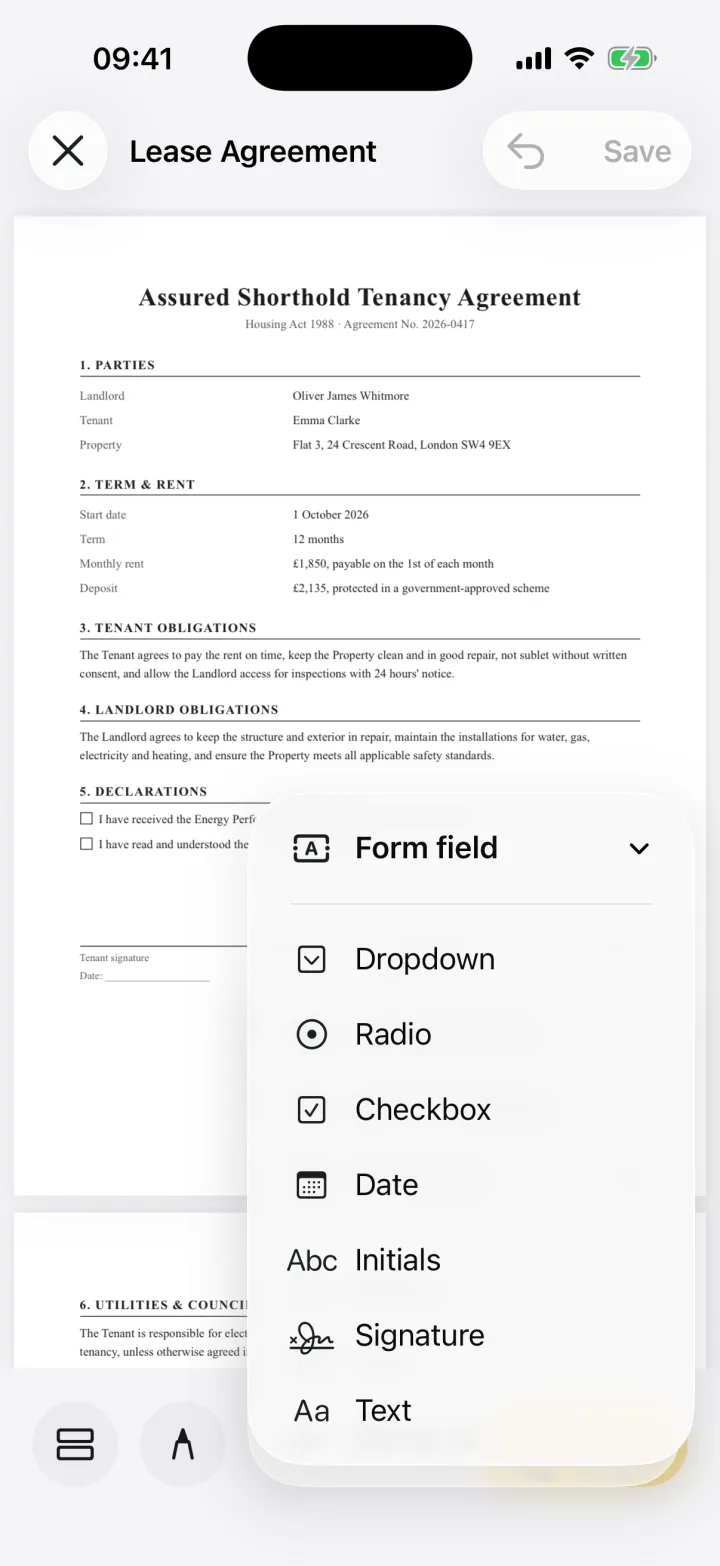

Scan a paper form with the camera or open the PDF, place text, date and checkbox fields where the blanks are, add your signature, and share the completed PDF. Save the field layout as a template for forms you fill every week.
A property form in three steps
- 1
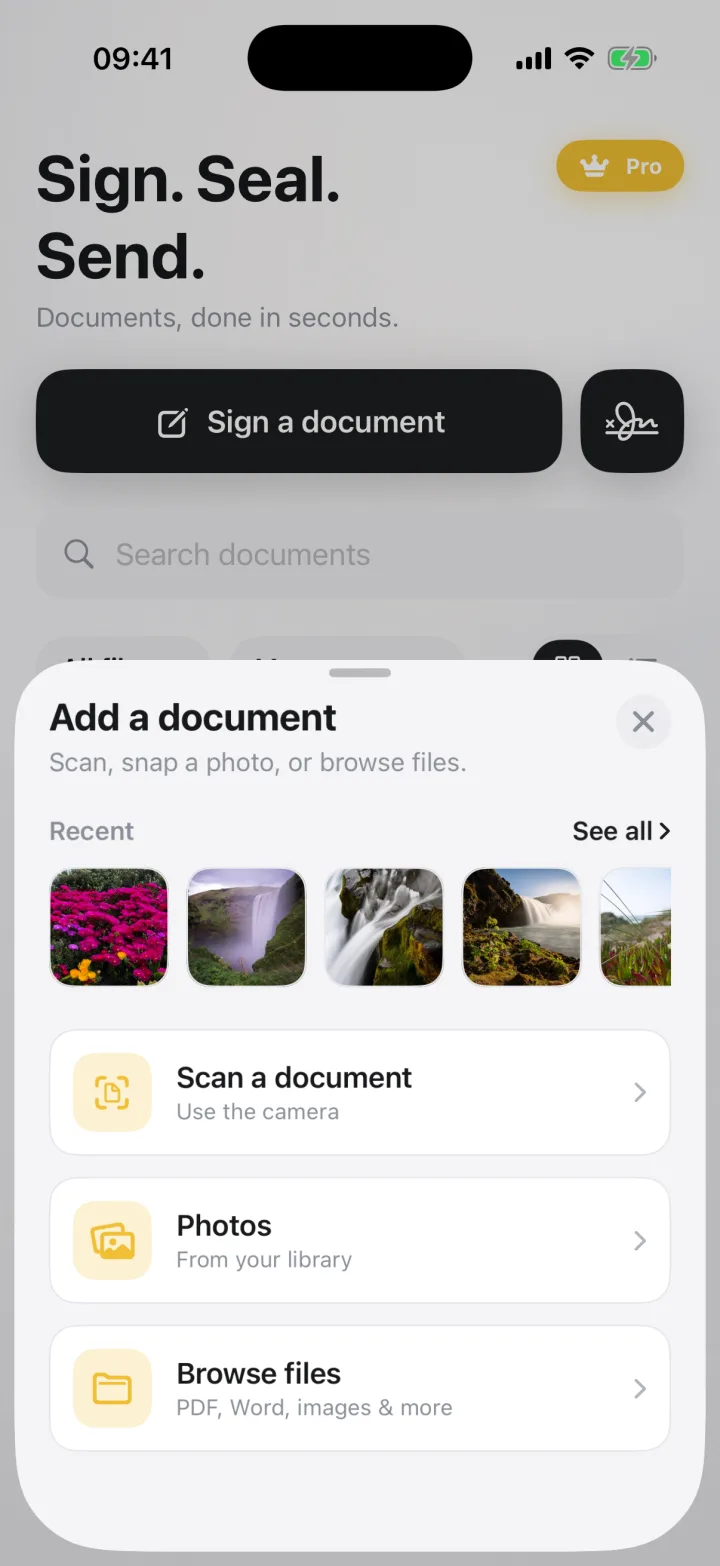
Scan or open the form
Photograph a paper form with the camera, or open the PDF the vendor's solicitor sent. Scans become clean, signable pages.
- 2
Fill the blanks
Add text, dates, checkboxes and dropdowns exactly where the form needs them, even on flat PDFs with no fillable fields.
- 3
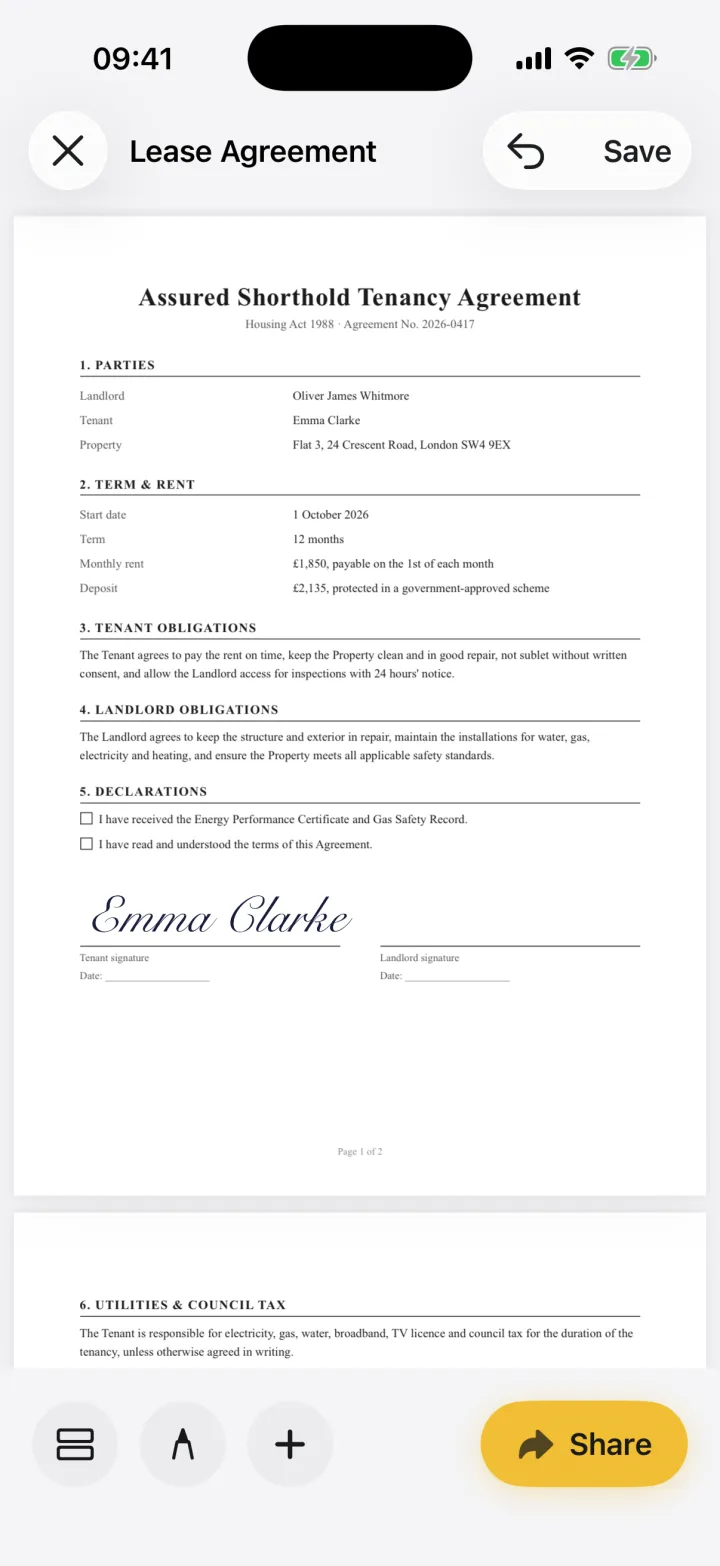
Sign and send
Place your signature, then share a PDF to your client or the office.
Reuse the forms you fill every week
Save the field layout of a recurring form, such as a viewing sheet or offer form, as a template. Next time, apply it and only the values change.
When you need a different tool
For contracts that several parties must sign in order with an audit trail, use your agency's e-signature platform. Many agents use both: the platform for transactions, eSign for the everyday paperwork in between.
Common questions
Can I fill in a scanned property form on my phone?
Yes. Scan it with eSign's camera, place text, date and checkbox fields on it, sign it and share it as a PDF.
Keep reading
Ready when the
next one lands.
Free to try · No account needed