Apple Markup or a signing app?
Markup is often enough.
Apple Markup is enough when you sign the odd PDF: it's free, built into iPhone and needs no account. You can sign with your finger, type in blank fields and use AutoFill from your contact card. A signing app like eSign is worth it when you sign often, need dates, initials on every page or stamps.
Updated By Alina Bohuslavska, maker of eSign
For a one-off signature, use Markup: open the PDF in Files, tap Markup, then Add Signature. Pick a signing app like eSign when you sign every week or fill long forms: it adds date fields with a picker, initials per page, stamps, Word files and a Flattened PDF (final).
eSign vs Apple Markup
| Feature | eSign | Apple Markup |
|---|---|---|
| Price | Free to try, Pro unlocks unlimited signing | Free, built into iPhone |
| Account | None | None |
| Create a signature | Draw it, type it in a handwriting font, or scan it from paper | Draw it with your finger (Apple Pencil on iPhone Duo) |
| Initials | Initials field you place on each page; tap it to draw or pick a saved signature | Save a signature labeled as initials |
| Dates | Date field with a picker and Short, Medium or Long format | No date field in Apple's guide; add a text box and type it |
| Fill blank fields | Text, date, checkbox, initials and signature fields, plus an Autofill profile | Tap a blank field to type; AutoFill from your My Card in Contacts |
| Stamps | APPROVED, PAID, RECEIVED, CONFIDENTIAL and more | Not in Apple's guide (text, shapes and stickers are) |
| Files it opens | PDF, Word, images and camera scans | PDFs and images in supported apps like Files, Notes and Photos |
| Pages | Duplicate, reorder or delete pages | Not covered in Apple's Markup guide |
| Sharing the result | PDF, or Flattened PDF (final) so entries can't be edited | Export, Print or Share |
Markup column based on Apple's iPhone User Guide (iOS 27), checked November 2026.
When Markup is enough
- You sign a PDF a few times a year
- The form has a handful of blanks you can tap and type into
- Your details are already on your My Card in Contacts, so AutoFill can fill them
- You don't need the date in a set format or initials on every page
When a signing app saves time
- You sign leases, invoices or onboarding forms every week
- A contract asks for initials on every page and a dated signature at the end
- The document is a Word file or a photo of a paper form, not a PDF
- You want APPROVED, PAID or RECEIVED stamps on invoices and delivery notes
- You want your signed documents together in one app instead of spread across Files and Mail
How to sign with Markup
Open the PDF in Files and tap Markup. Tap +, then Add Signature, sign with your finger and tap Done. Drag the signature onto the line and drag a blue dot to resize it. Your iPhone saves the signature for next time.
To fill a form, tap a blank field and type. If your My Card in Contacts is complete, AutoFill can fill several fields at once. For text outside the blanks, tap + and Add Text Form Box.
How to sign with eSign
Tap Sign a document and pick the PDF, Word file or photo, or tap Share in Mail or Files and choose eSign. Tap + and choose Signature, Text, Stamp or Form field. Place each one, then tap Share and choose PDF or Flattened PDF (final).
Common questions
Is Apple Markup good enough to sign documents?
For most one-off signatures, yes. Markup lets you draw your signature, place it on the PDF and share the signed copy, for free and without an account.
Is a signature added with Markup legally valid?
In the US, the ESIGN Act and state UETA laws say a signature can't be denied legal effect just because it's electronic, as long as you meant to sign. That covers a drawn signature in Markup or eSign. Wills, adoption and divorce papers, court documents and certain notices are excluded. See our guide to e-signature law in the US.
Can Markup add the date to a PDF?
Apple's guide has no date field. You can add a text box with Add Text Form Box and type the date. eSign has a Date field with a picker and Short, Medium or Long formats.
Can I use initials in Markup?
Yes. Create another signature, label it as initials and add it with Add Signature. In eSign you place an Initials field on each page that needs one, then tap it to draw your initials or pick a saved signature.
Is eSign free?
Free to try, Pro unlocks unlimited signing. You can sign and share your first 2 documents for free.
Keep reading
All posts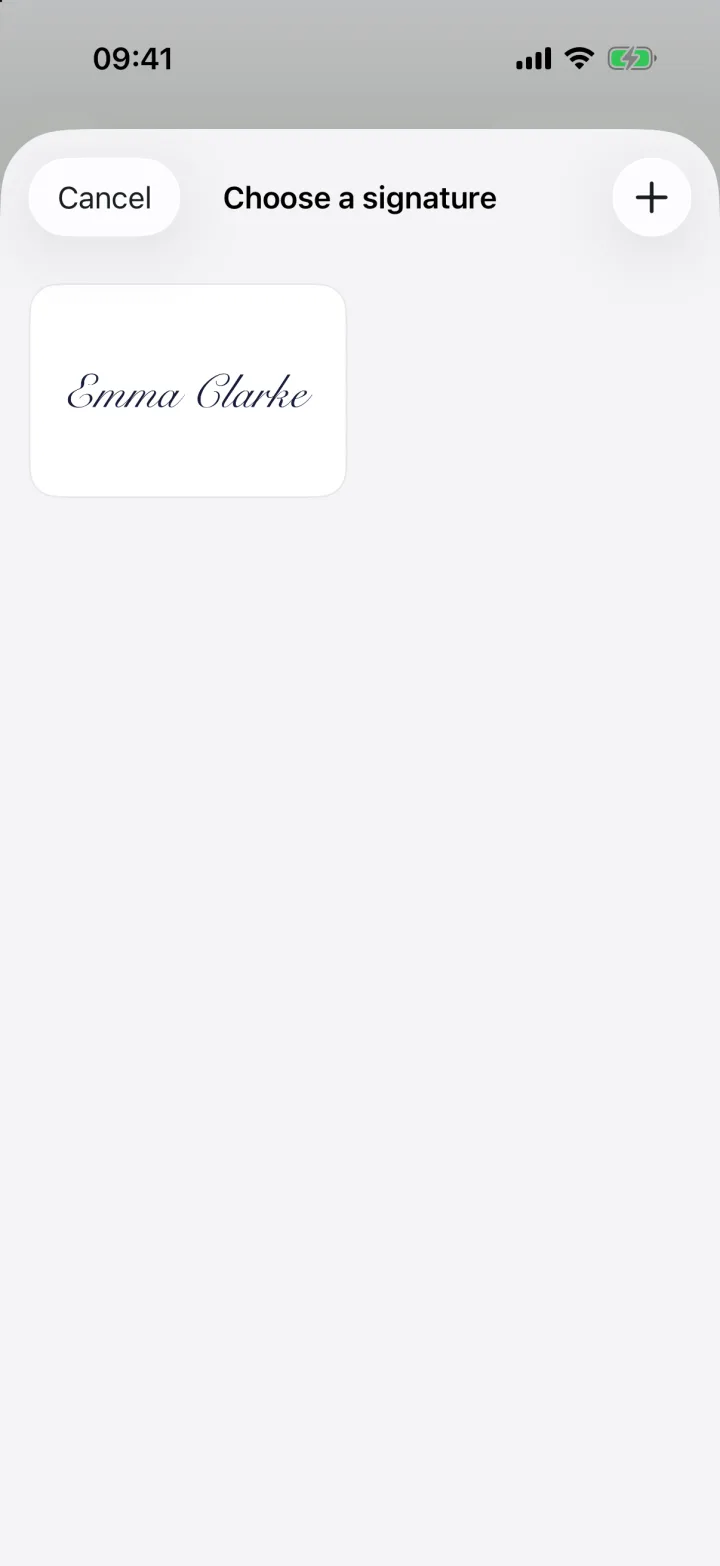 Comparison
Best Free Signature Apps to Sign Documents on iPhone (2026)
Free apps to sign documents on iPhone in 2026: Apple Markup, eSign, Acrobat Reader, DocuSign, Smallpdf and more, and what each one gives you for free.3 min readRead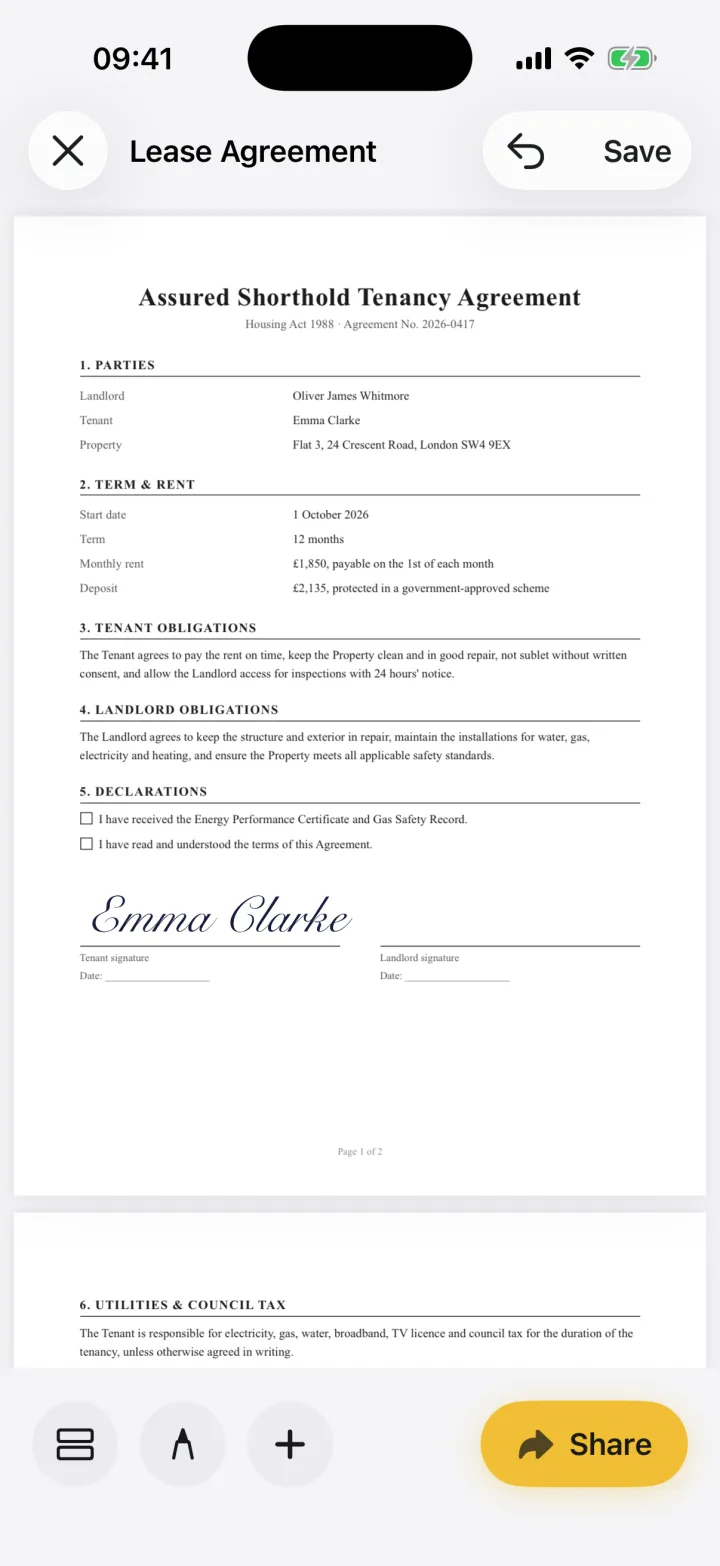 Guide
How to Sign a PDF on iPhone (Free, No Printing)
Sign any PDF on your iPhone in under a minute: open the file, add your signature on the line and send it back. Step-by-step with screenshots.3 min readRead Legal & help
Are Electronic Signatures Legal in the US? ESIGN & UETA
Yes. The federal ESIGN Act and state UETA laws give e-signatures the same effect as ink for most contracts. What they say and which documents are excluded.4 min readRead
Ready when the
next one lands.
Free to try · No account needed