Fill out and sign a rental application
on your iPhone.
To fill out and sign a rental application on iPhone, open the PDF in eSign from the email or Files. Tap +, then Form field, and add Text for your name, address and income, Checkbox for yes or no questions, and Date. Sign the applicant line, then share it back as a Flattened PDF.
Updated By Alina Bohuslavska, maker of eSign
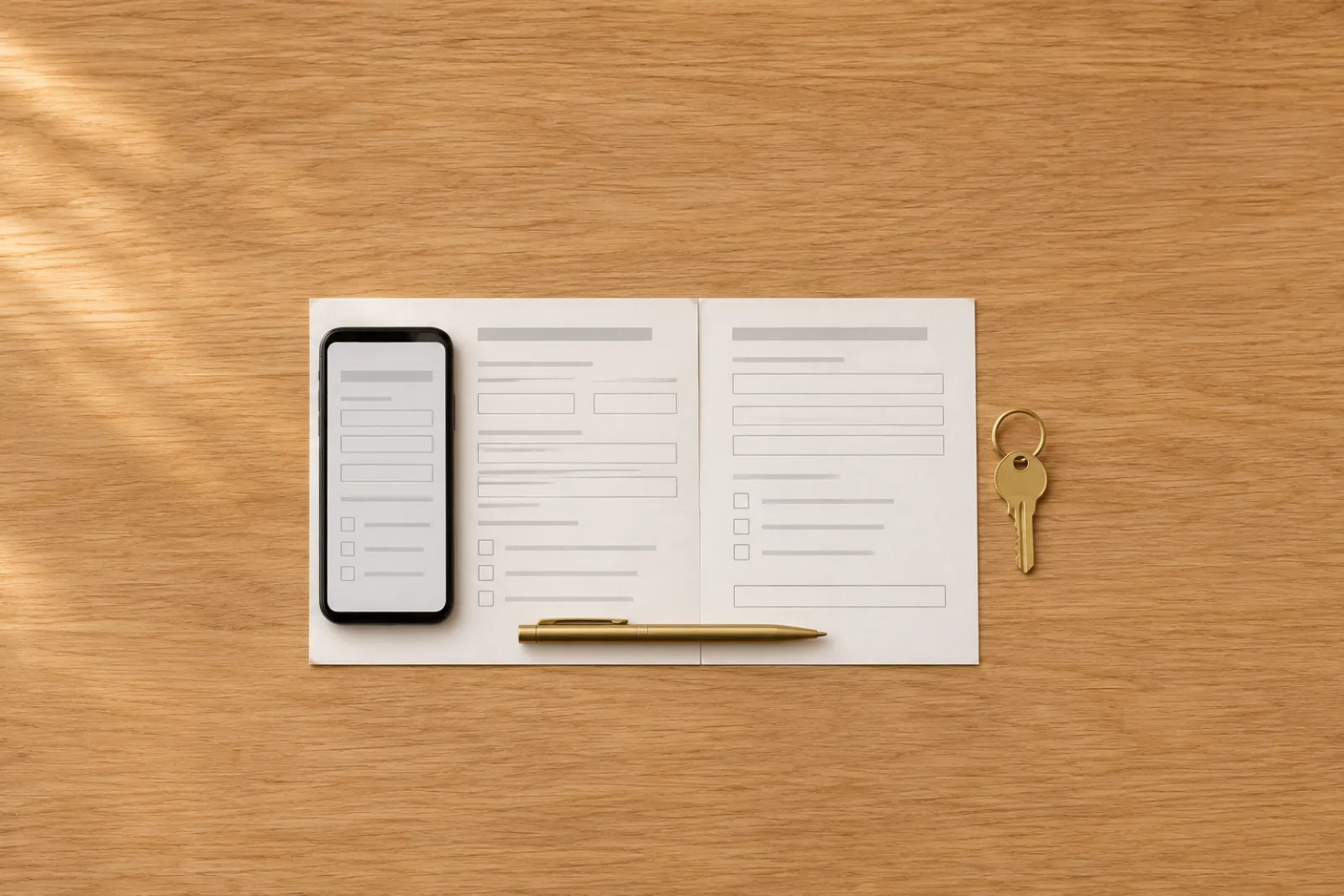
Open the application in eSign, tap +, then Form field and choose Text, Checkbox, Date or Signature. Place each field on its blank and fill it in; your Autofill profile can add your name, email, phone and address. Tap Share and choose Flattened PDF (final) to send it back.
Fill out a rental application in five steps
- 1
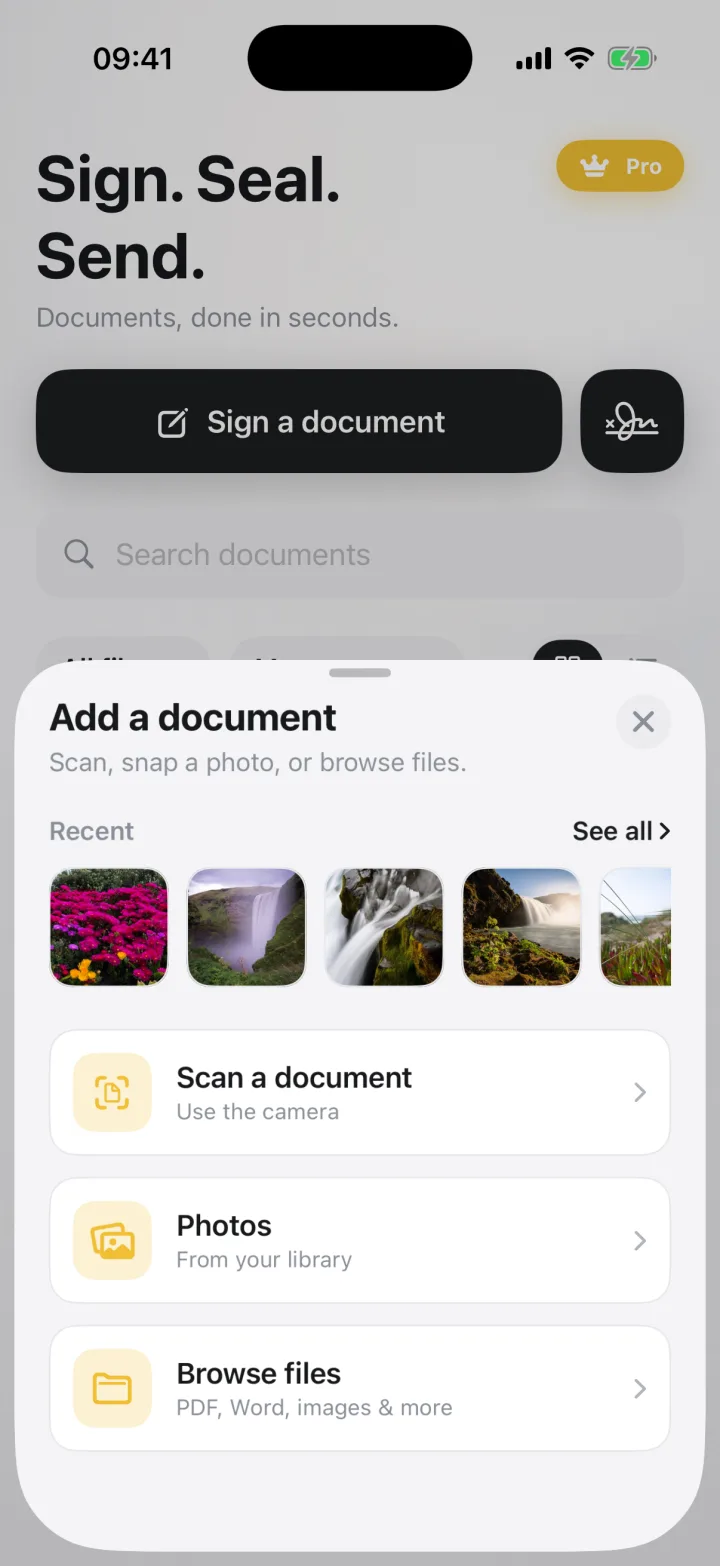
Open the application
Tap the PDF in Mail, tap Share and choose eSign. Or tap Sign a document and pick it from Files, a photo, or a scan of a paper form from the camera.
- 2
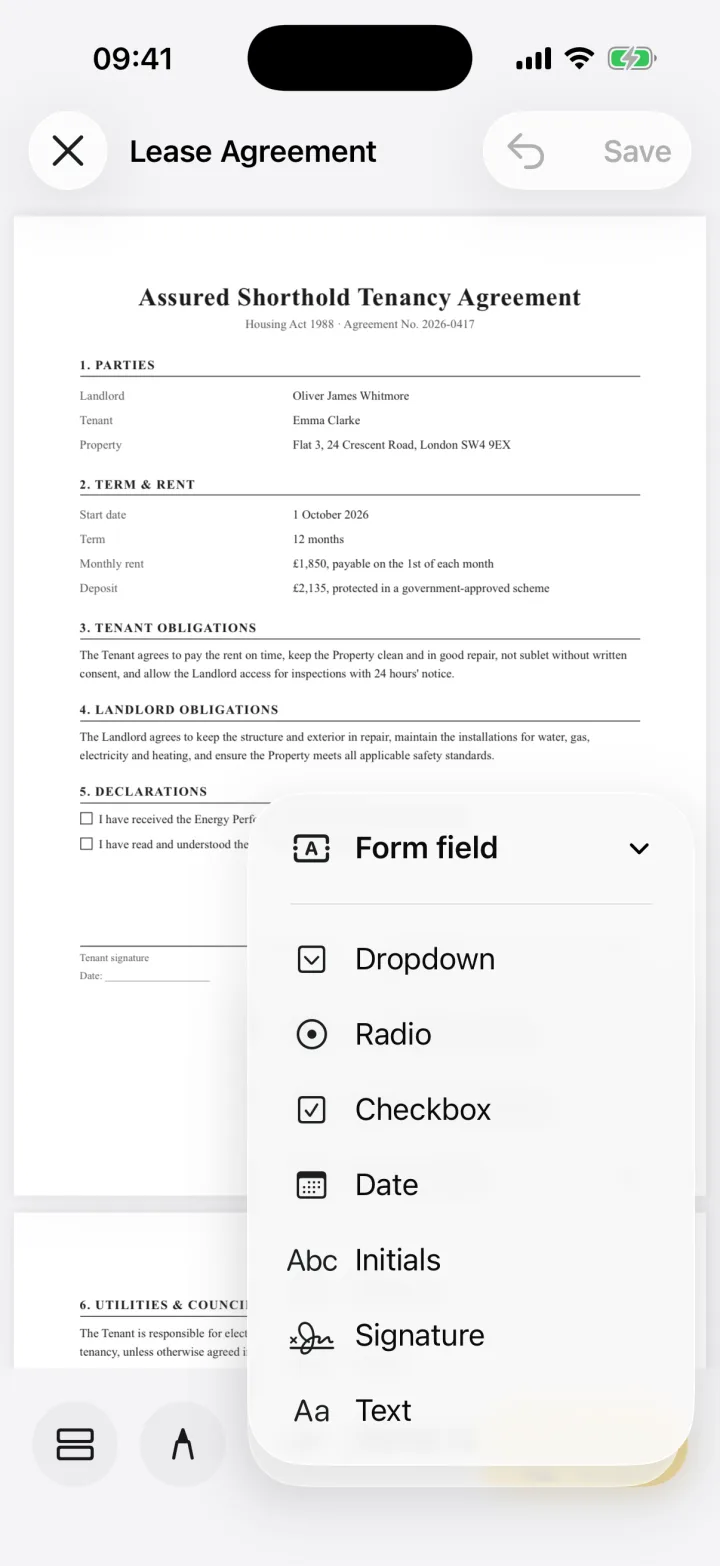
Add a field to each blank
Tap +, then Form field, and pick Text for names, addresses, employer and income, Checkbox for yes or no questions, or Date. Drag the field onto the blank and resize it with the corner handle.
- 3
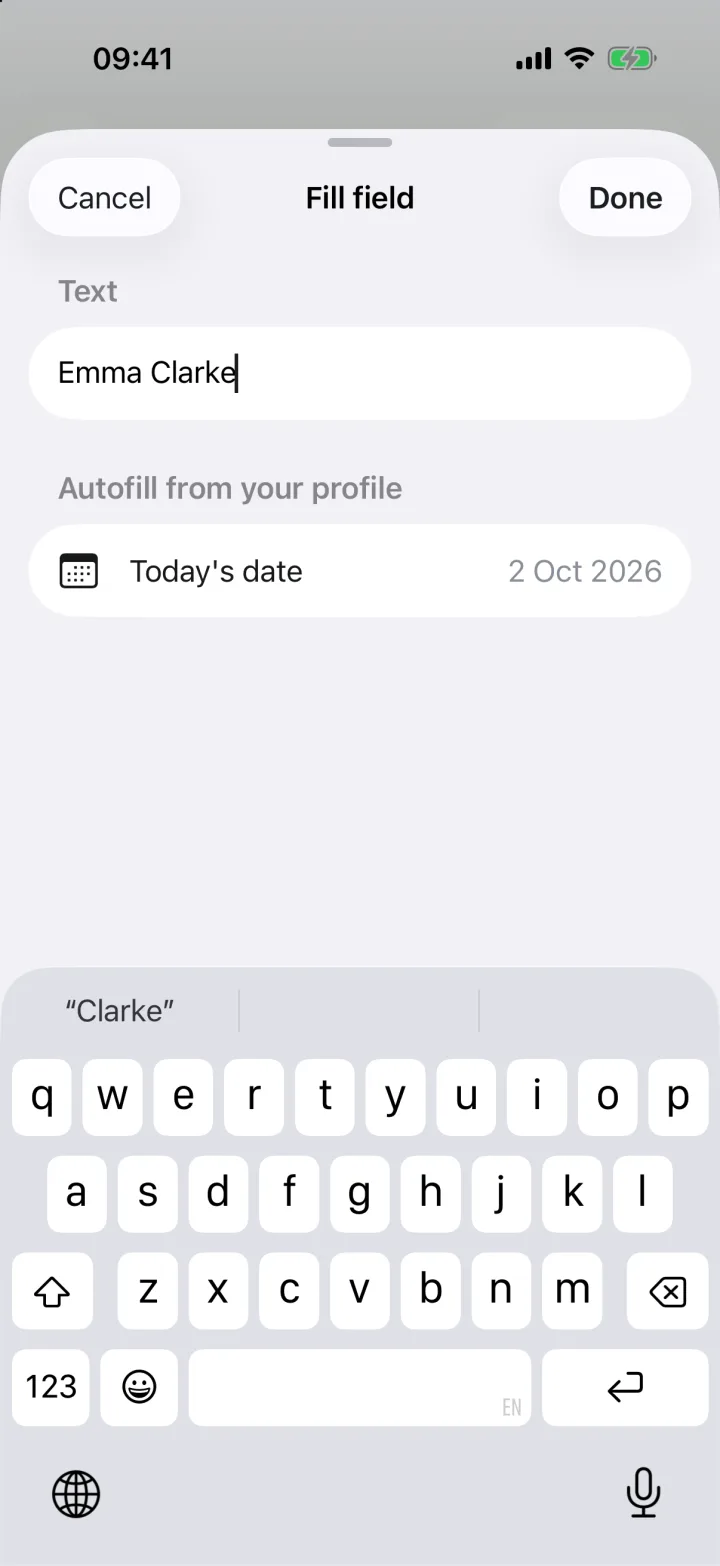
Fill it in, or autofill it
Tap a field to type. Your Autofill profile keeps your full name, email, phone and address, so they go into the next application in one tap. Tap Next field to move through the form.
- 4
Sign and date it
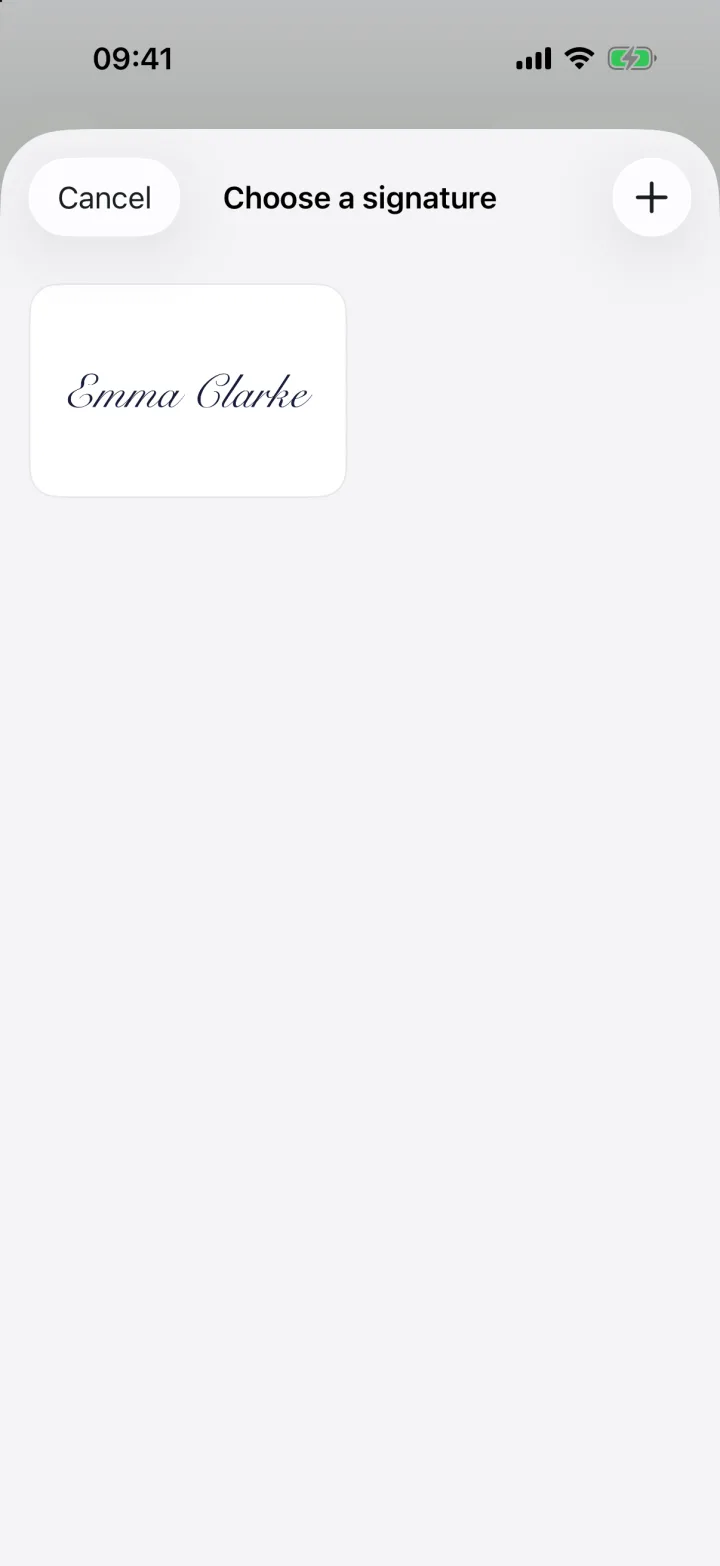
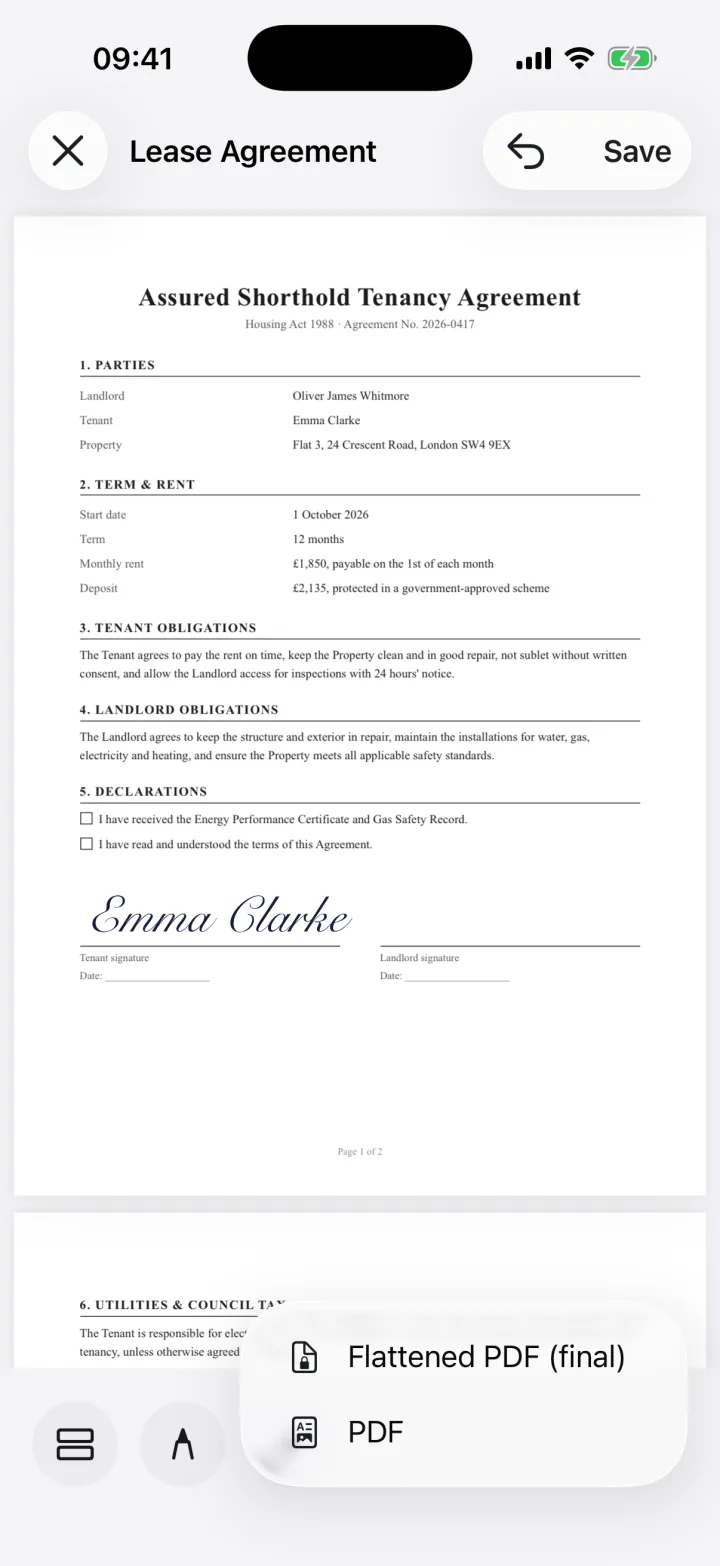
Tap +, then Signature, and pick your saved signature or draw a new one. Drag it onto the applicant line. Add a Date field next to it, tap it and choose Today's date, or pick a date and tap Use this date.
- 5
Send it back as a final PDF
Tap Share and choose Flattened PDF (final) so your entries can't be edited, then send it to the landlord or agent by Mail or Messages.
What a rental application asks for
The FTC says landlords usually ask for your full name and date of birth, your Social Security number and your prior addresses. They may also look at your work and income history, payment history, housing court records, criminal records and any bankruptcy.
Have your addresses, employer details and income at hand before you start, so you fill the form in one go.
Before you apply
- Check your free credit report at AnnualCreditReport.com, as the FTC suggests
- Check that your housing court records are correct, and ask the court or a past landlord to fix any errors
- Save your name, email, phone and address in the Autofill profile once, if you're applying for several places
If the landlord turns you down
If a landlord rejects you because of a tenant screening report, they must give you an adverse action notice with the screening company's name, address and phone number. You can ask that company for a free copy of the report within 60 days, and dispute anything wrong. The CFPB says the company usually has 30 days to investigate.
Keep your details private
A rental application holds your Social Security number and income. eSign has no account and keeps your documents on your devices and your private iCloud; they're never sent to us. The application only leaves your phone when you share it.
Common questions
Can I fill out a rental application on my phone?
Yes. Open the PDF in eSign, add Text, Checkbox and Date fields where the blanks are, fill them in and sign the applicant line. It works on scans and flat PDFs too, because you place the fields yourself.
How do I sign a rental application on iPhone?
Tap +, then Signature, and pick a saved signature or draw one with your finger. Drag it onto the applicant line, add the date and share the application as a Flattened PDF.
The landlord sent a paper form. What now?
Tap Sign a document, then Scan a document, and scan the pages with your camera. Then add fields and sign the scan like any PDF.
Is an electronic signature on a rental application valid?
In most cases, yes, but ask the landlord if they accept one. Our guide to e-signature law in the US explains when an electronic signature counts.
Is eSign free?
Free to try, Pro unlocks unlimited signing. You can sign and share your first 2 documents for free.
Keep reading
All posts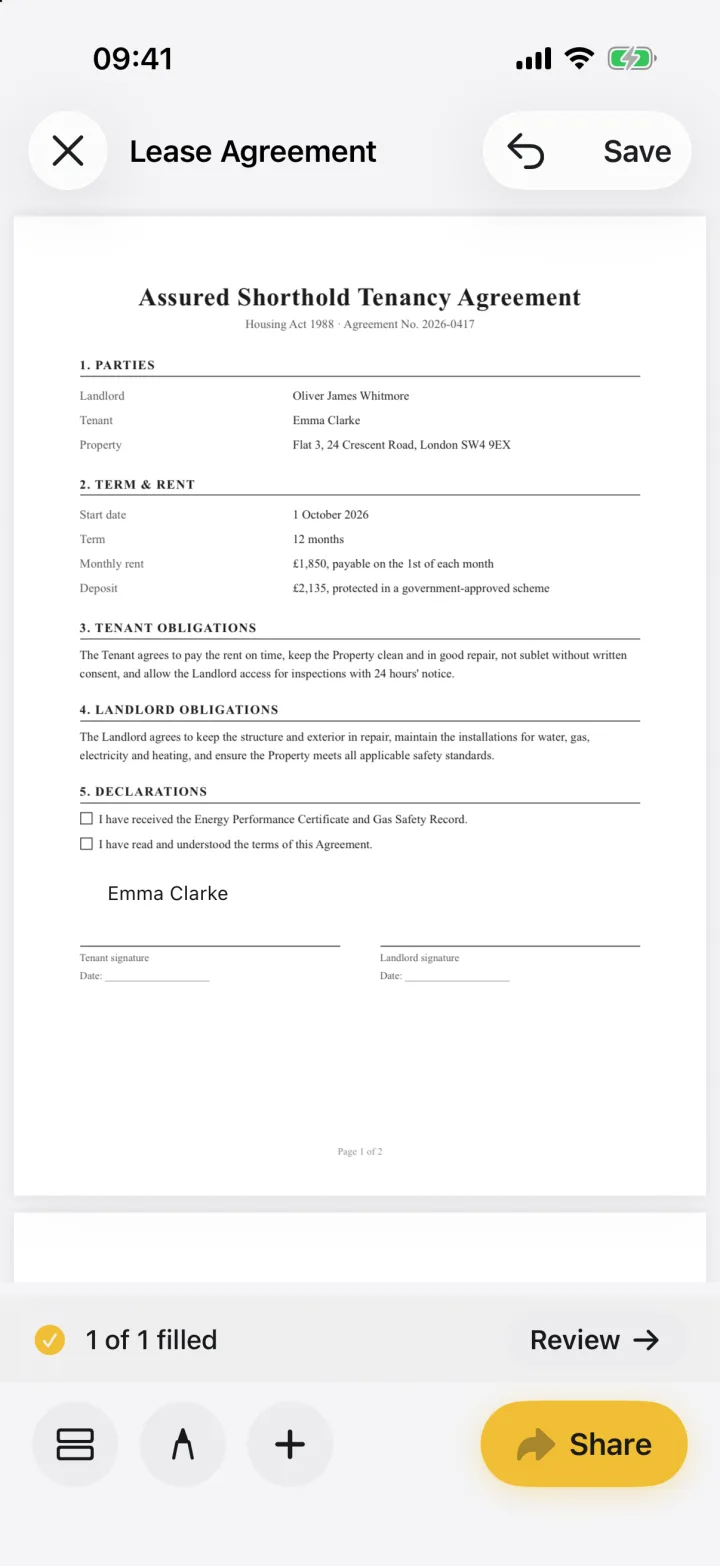 Guide
How to Fill Out a PDF Form on iPhone
Fill in any PDF form on your iPhone: add text, dates, checkboxes, initials and signatures where they're needed, then send it back. With screenshots.2 min readRead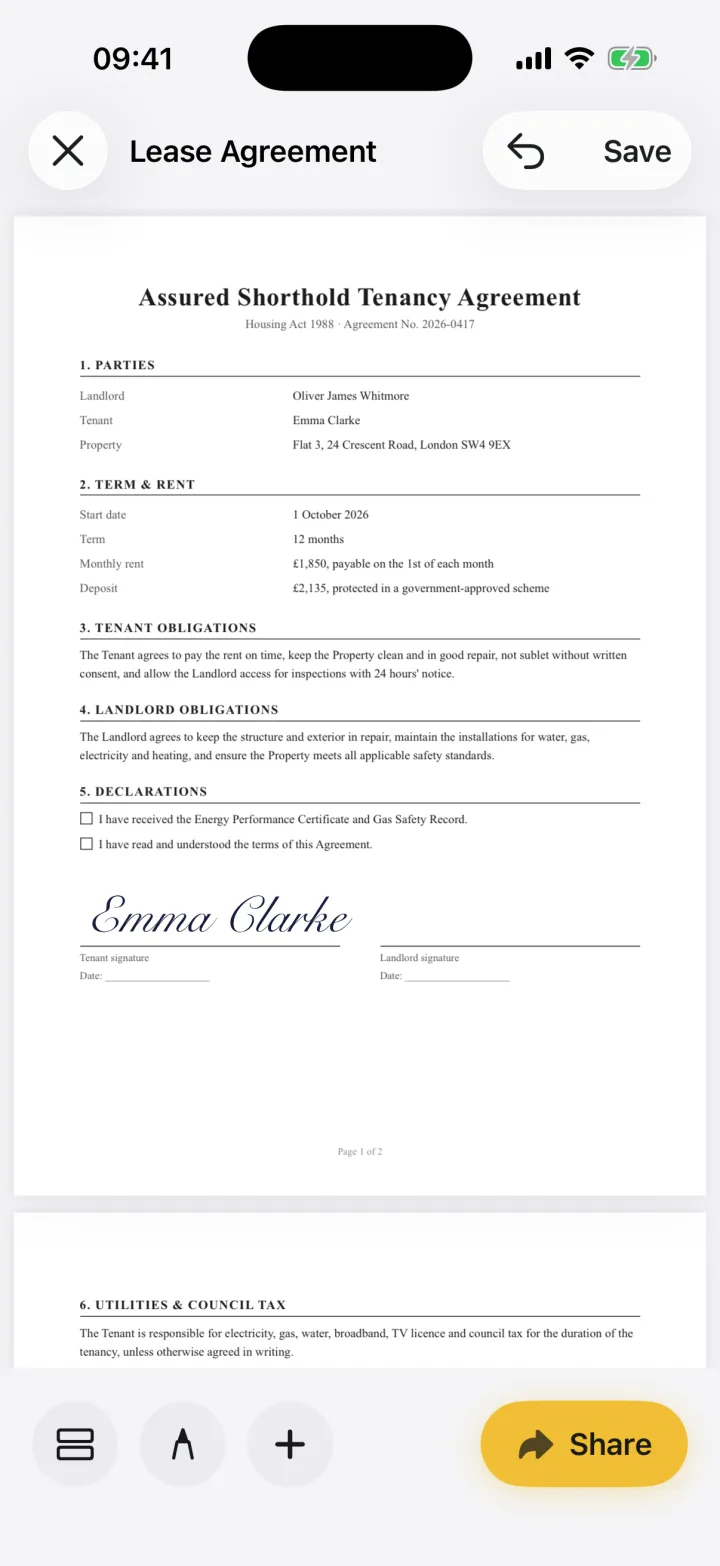 Use case
Sign a Lease on iPhone: eSign for Landlords & Tenants
Sign tenancy agreements, inventories and renewals on your iPhone in minutes. Fill in names and dates, sign every page that needs it and send the lease back as a PDF.2 min readRead Legal & help
Are Electronic Signatures Legal in the US? ESIGN & UETA
Yes. The federal ESIGN Act and state UETA laws give e-signatures the same effect as ink for most contracts. What they say and which documents are excluded.4 min readRead
Ready when the
next one lands.
Free to try · No account needed