eSign or DocuSign?
It depends who's sending.
DocuSign is the default for companies that send contracts out and track every signature. But a lot of people looking for "DocuSign" in the App Store just need to sign one document and send it back. Here's an honest look at which tool fits which job.
Updated By Alina Bohuslavska, maker of eSign
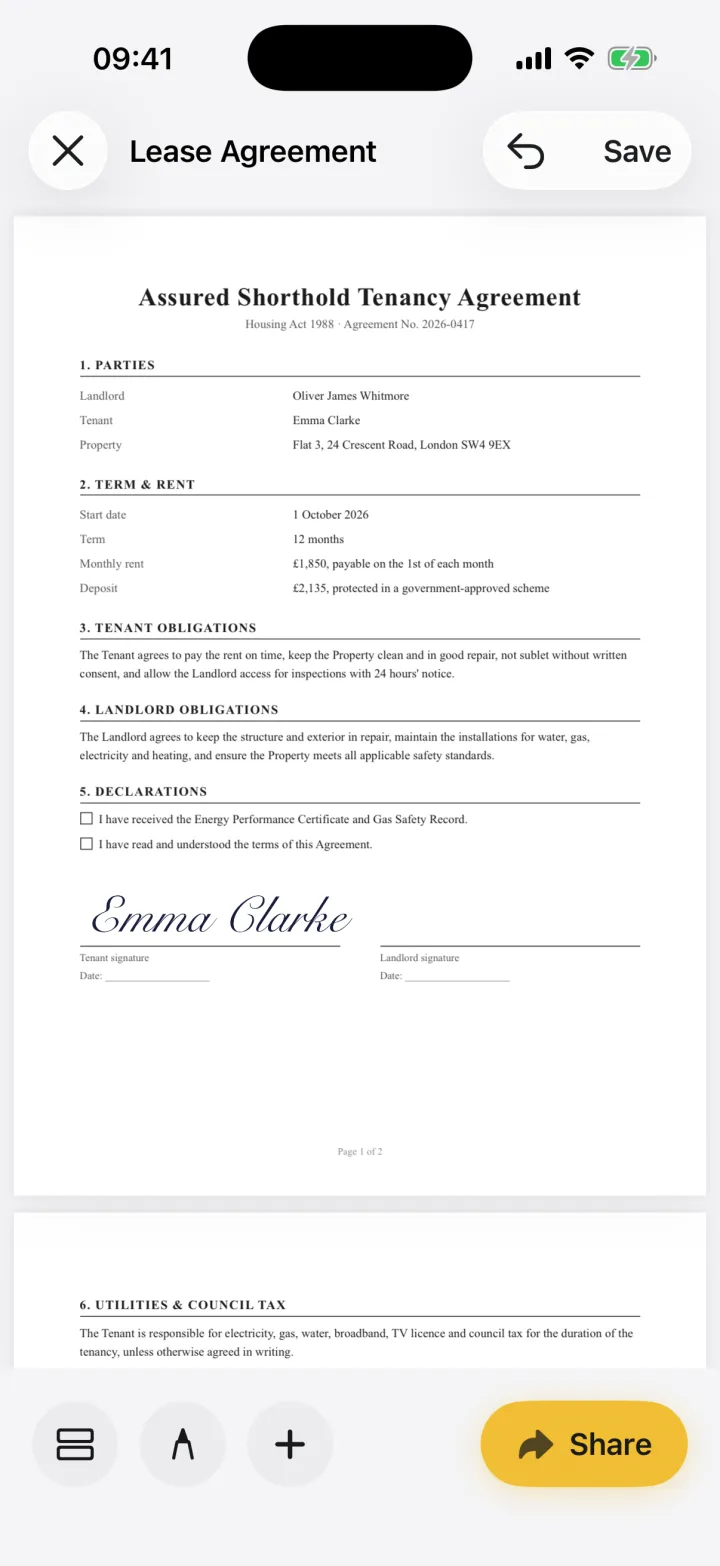

Use DocuSign when you need to send a document to others, collect signatures in order and keep a certificate of completion. Use eSign when you're the one signing: it needs no account, keeps documents on your device and fills any PDF, including flat ones and scans.
eSign vs DocuSign
| Feature | eSign | DocuSign |
|---|---|---|
| Best for | Signing documents you receive | Sending documents and collecting signatures |
| Account | None | Needed for the app; recipients of a DocuSign request can sign without one |
| Price | Free to try, Pro for unlimited signing | Free account with 3 sends; Personal plan $11/month billed yearly (5 envelopes/month) |
| Where documents live | On your device only | DocuSign cloud |
| Audit trail / certificate | No | Yes, certificate of completion |
| Fill flat PDFs and scans | Yes, place your own fields | Via document setup when sending |
| Works offline | Yes | Limited |
Based on DocuSign's public pricing page and App Store listing, October 2026.
If someone sent you a DocuSign request
You don't need eSign or a DocuSign account. Open the email, tap Review Document and sign in your browser. DocuSign handles the rest for the sender.
If someone emailed you a PDF to sign
That's where eSign is simpler. Open the PDF, drop your signature on the line, fill in any blanks and send it back. Nothing to sign up for, and the document never leaves your phone until you share it.
If you need to send documents for signature
DocuSign (or a similar service) is the right tool. It routes a document to several signers, reminds them and records who signed when. eSign doesn't do that, and we'd rather tell you than have you find out later.
Common questions
Is DocuSign free?
Signing a document someone sends you through DocuSign is free. Sending your own documents requires an account; the free account includes 3 sends, and paid plans start at $11/month billed yearly.
Can eSign send documents for others to sign?
No. eSign is for signing and filling documents yourself. You can share the signed PDF with anyone.
Is a signature made in eSign legally valid?
Simple electronic signatures are recognised for most everyday agreements in the US, UK, Canada, Australia and the EU, but some documents need witnessing or special formalities. See our guides on e-signature law in the UK, Canada and Australia.
Keep reading
Ready when the
next one lands.
Free to try · No account needed