Accept the offer
from your phone.
A new job comes with a pile of forms: the offer letter, a contract, bank details, emergency contacts, policy acknowledgements. Most arrive as PDFs that expect a printer. eSign lets you complete them properly on your phone.
Updated By Alina Bohuslavska, maker of eSign
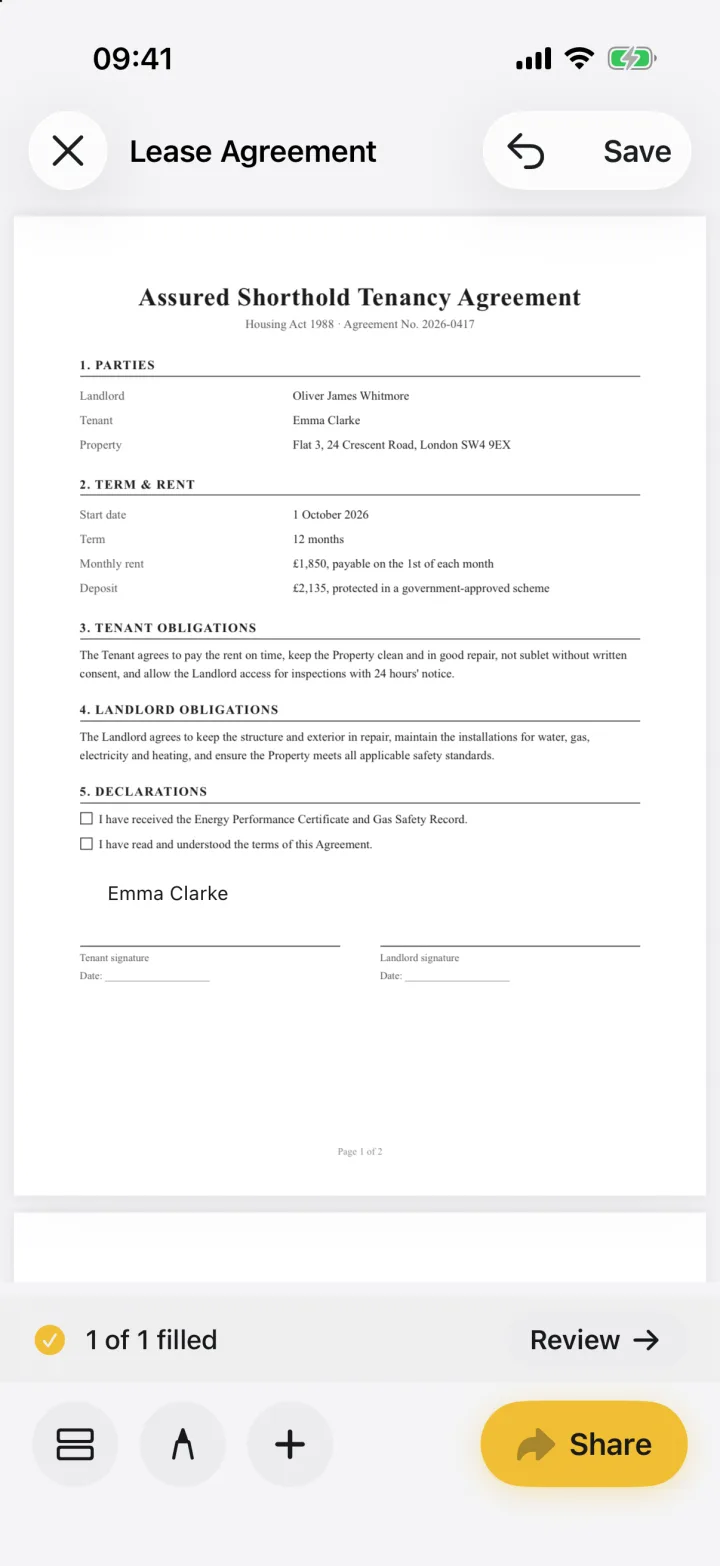

Open each form in eSign, fill in your details with text, date and checkbox fields, sign where required and share the PDFs back to HR. Save your name, address and other details once in your autofill profile so the next form fills in seconds.
Onboarding paperwork in three steps
- 1
Fill in your details
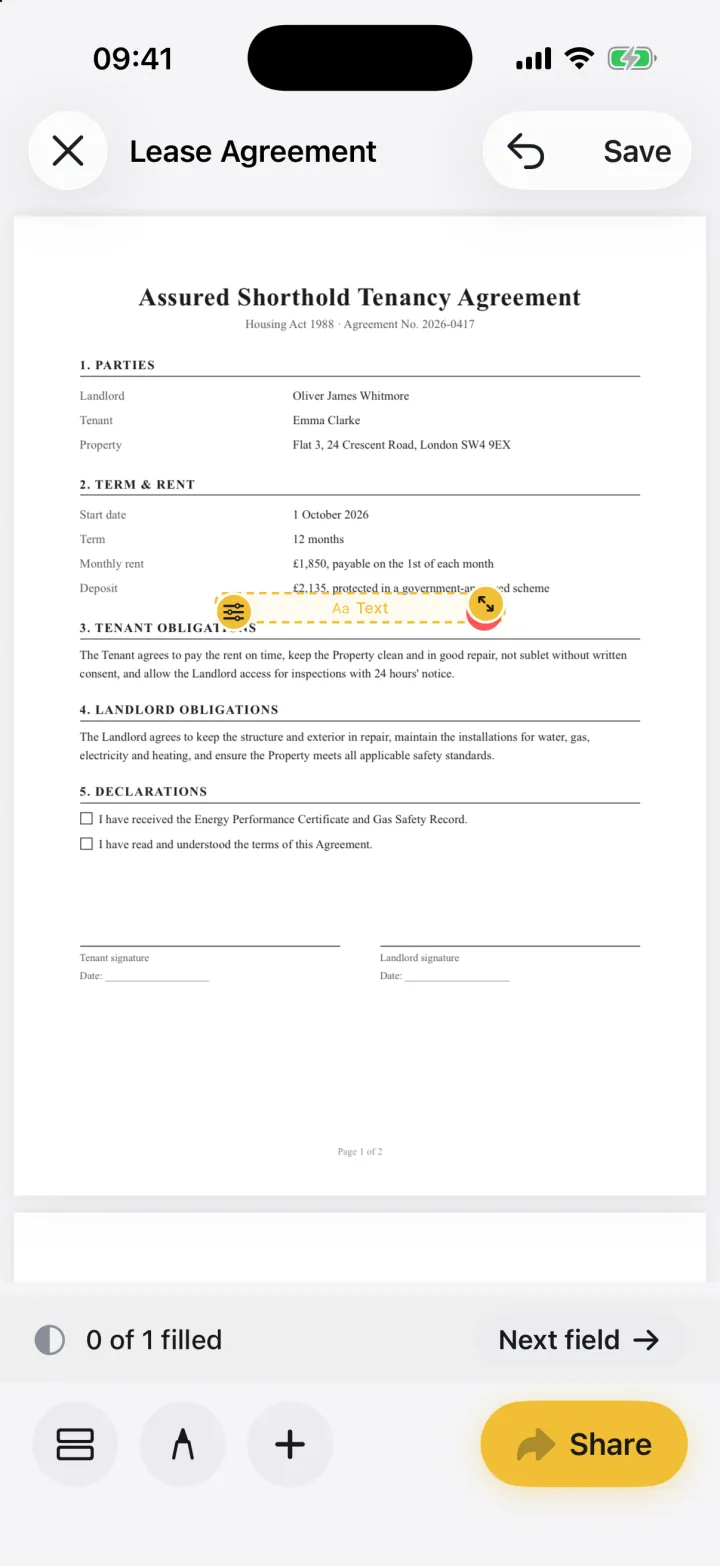
Tap + and Form field to add text, date and checkbox fields. eSign counts what's left so you don't miss a box.
- 2
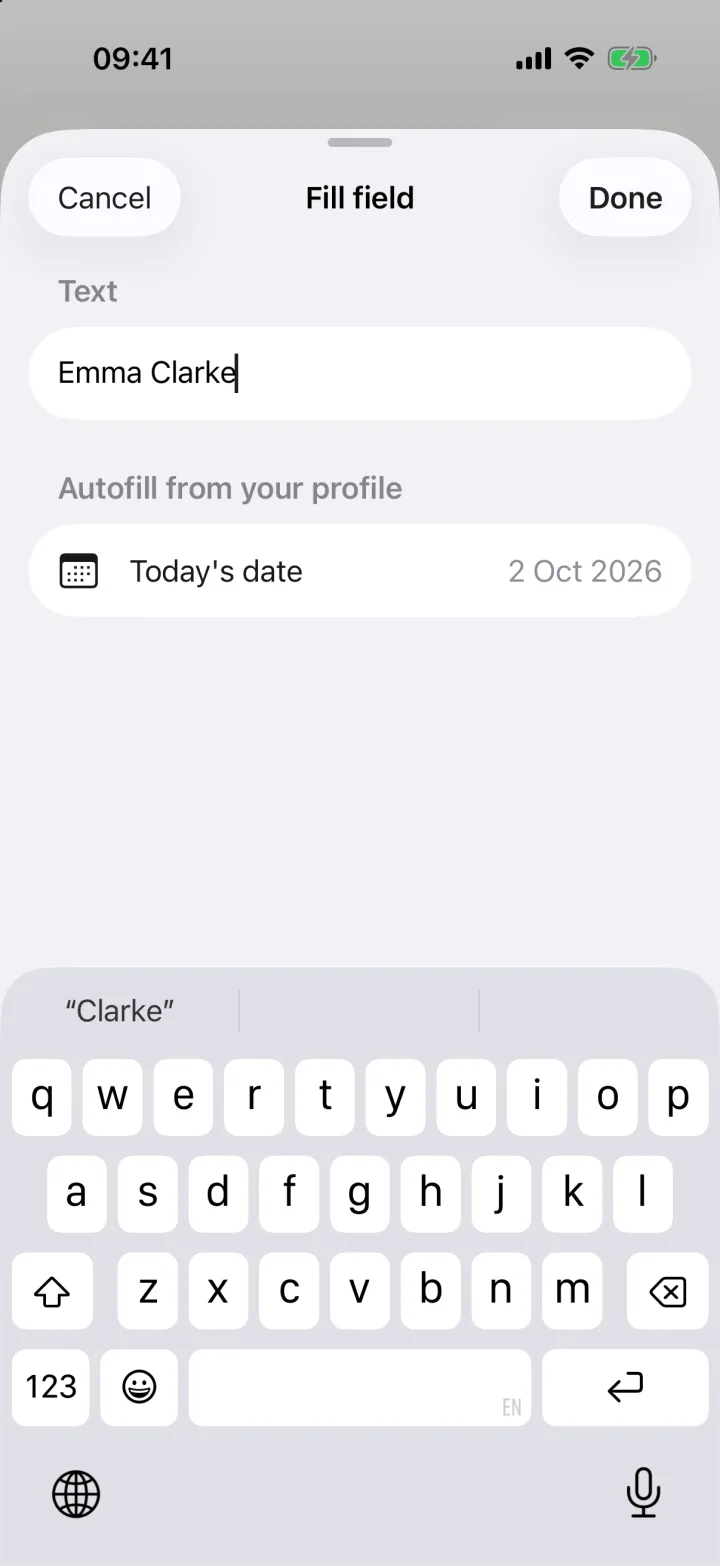
Use autofill for repeat details
Your name, address and today's date are one tap away in the fill sheet.
- 3
Sign and return
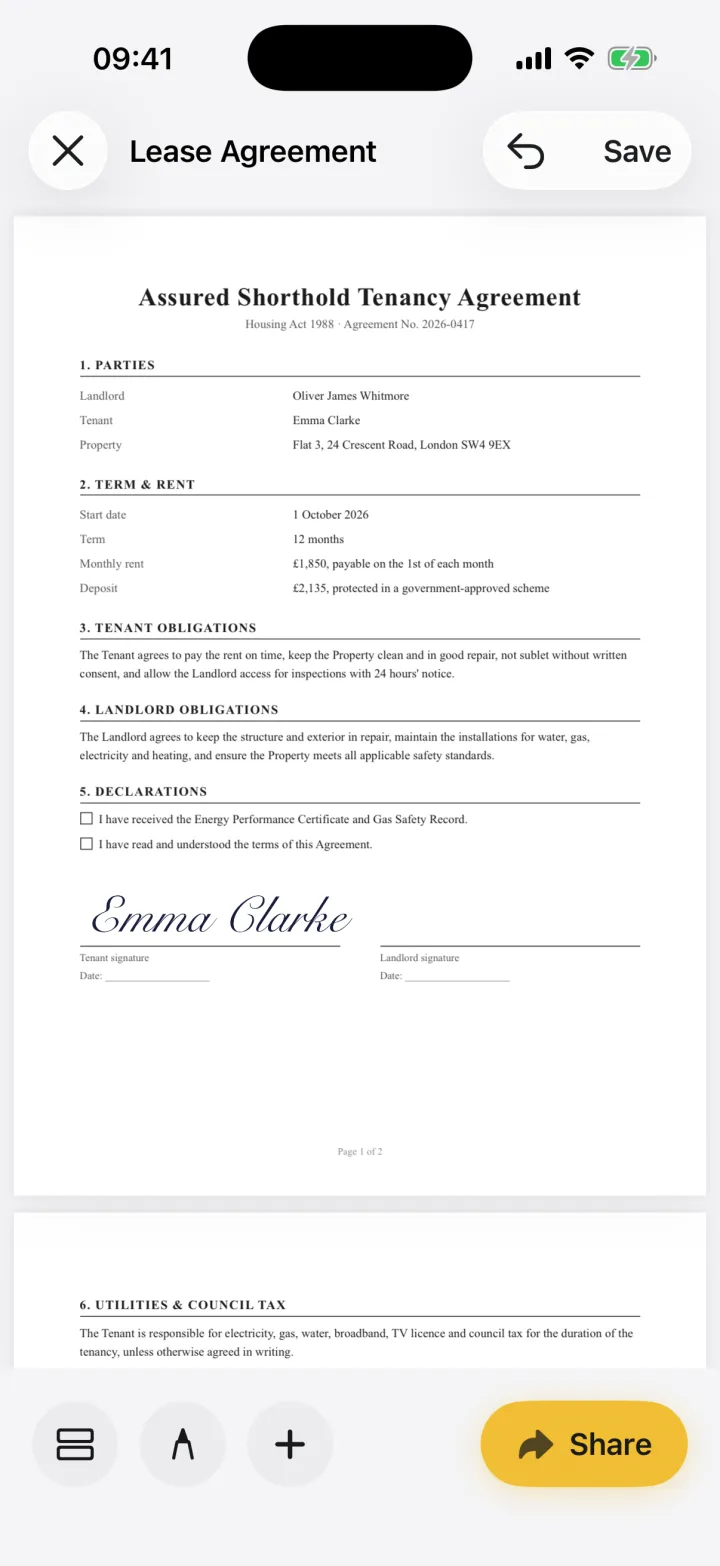
Add your signature, then share each completed PDF back to HR by email.
Your personal details stay private
Onboarding forms carry sensitive information: your address, date of birth, sometimes bank or tax details. eSign never uploads your documents; they stay on your device until you send them to your employer.
Common questions
Can I sign an offer letter on my iPhone?
Yes. Open the offer letter in eSign, add your signature and the date, and share the signed PDF back to the employer.
Keep reading
Ready when the
next one lands.
Free to try · No account needed