Sign the lease today,
not when you find a printer.
Letting agents and landlords send tenancy agreements as PDFs and want them back fast, often before someone else takes the flat. eSign lets you read, complete and sign the whole lease on your phone and send it back the same hour.
Updated By Alina Bohuslavska, maker of eSign
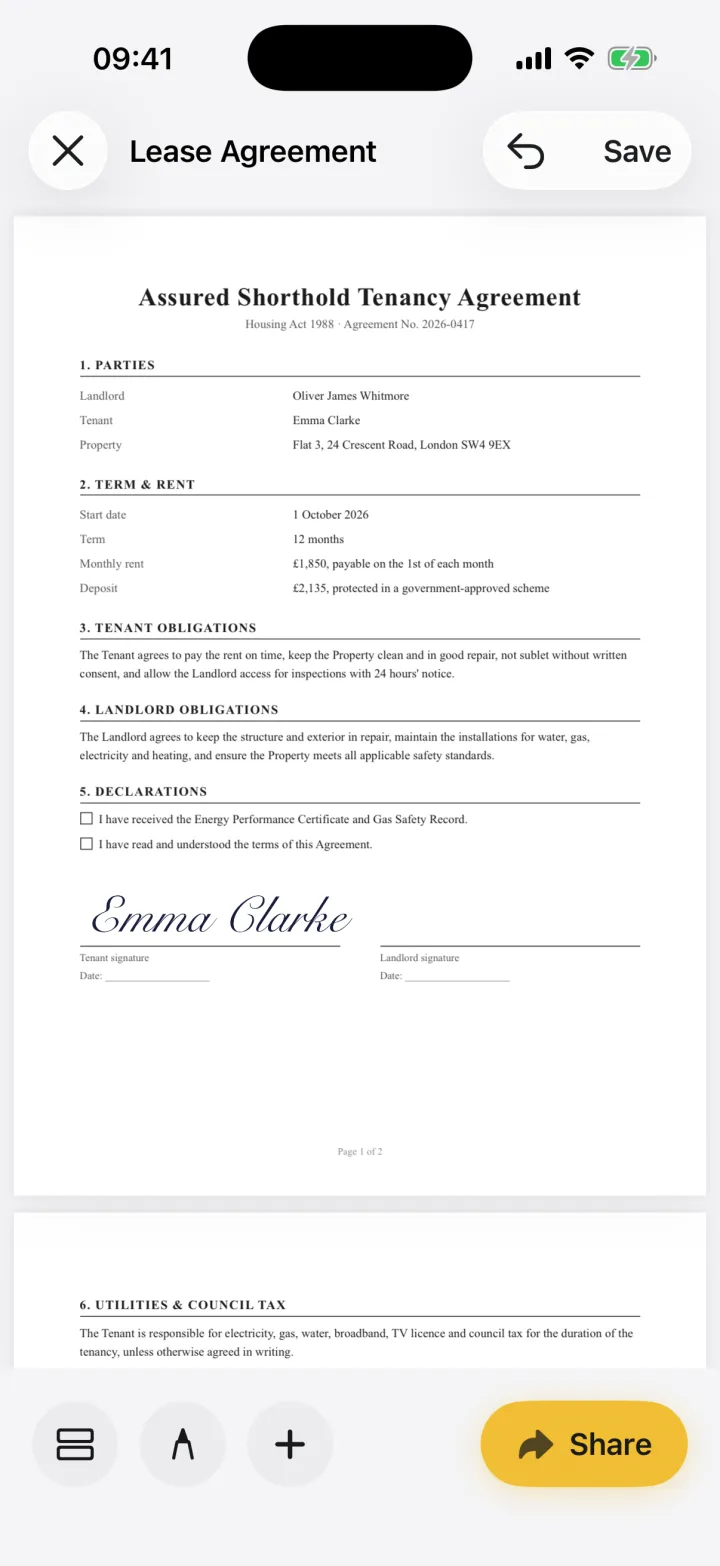

Open the lease PDF in eSign from the email, tap + to add your signature on every signature line, add the date and your initials where the agreement asks for them, then share it back as a PDF. Choose Flattened PDF if you want the copy you send to be final.
Signing a lease in four steps
- 1
Open the lease from the email
Tap the attachment in Mail, Gmail or Outlook, tap Share and choose eSign. Pinch to zoom in on the rent, deposit and break clauses before you sign.
- 2
Fill in what's blank
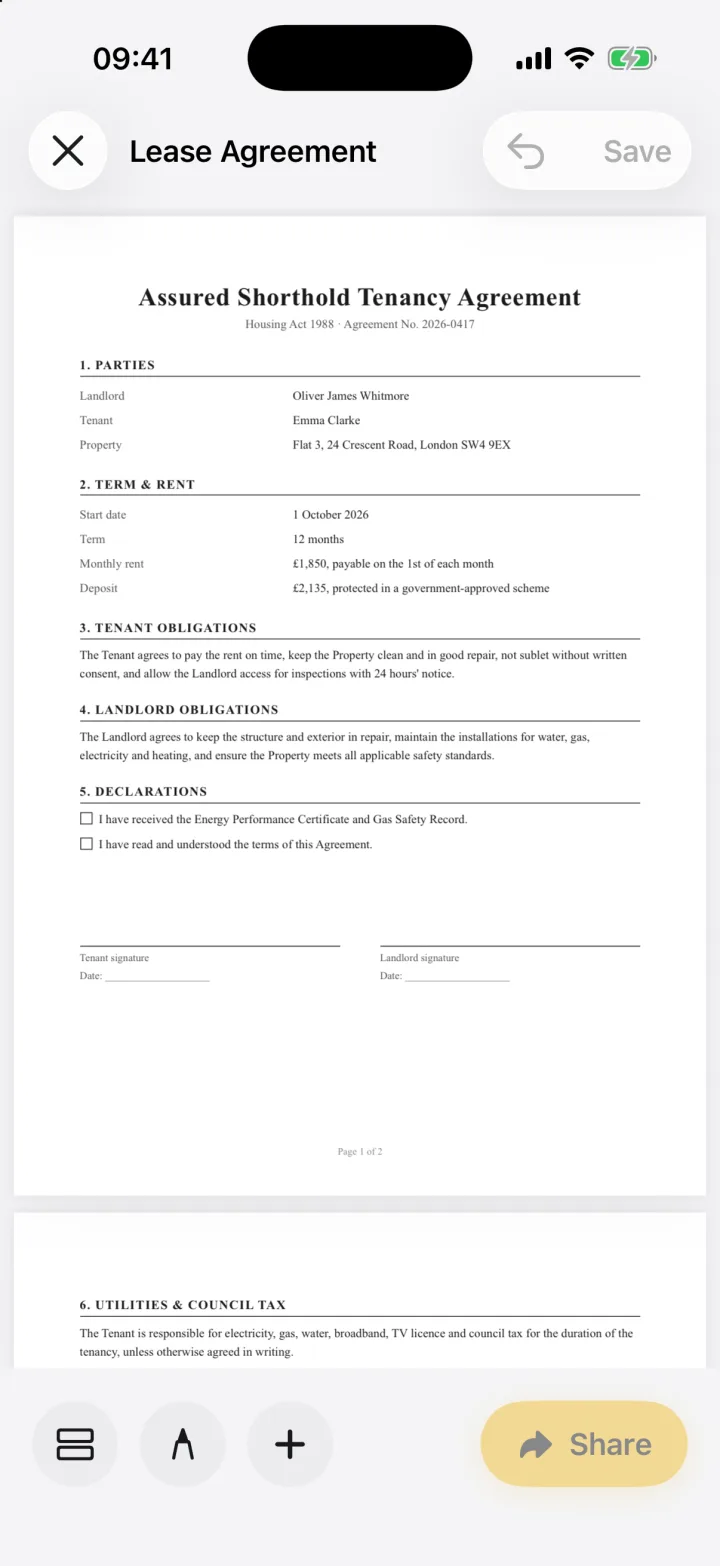
Add your name, address or move-in date with a text field, and tick the declaration boxes. Your autofill profile fills repeated details in one tap.
- 3
Sign every line that needs it
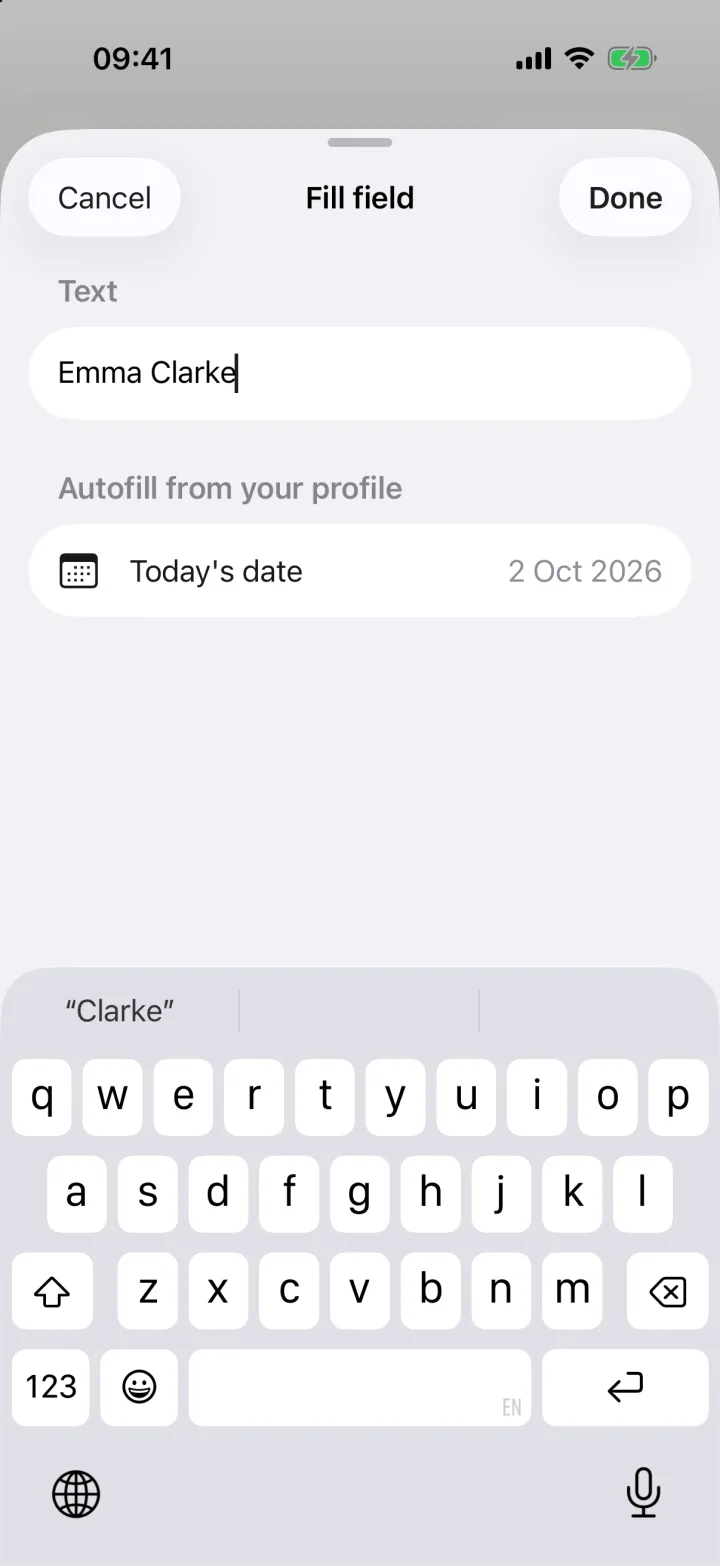
Place your signature on the tenant line and your initials on each page if the agreement asks for them. Drag and resize until it sits on the line.
- 4
Send it back as a final PDF
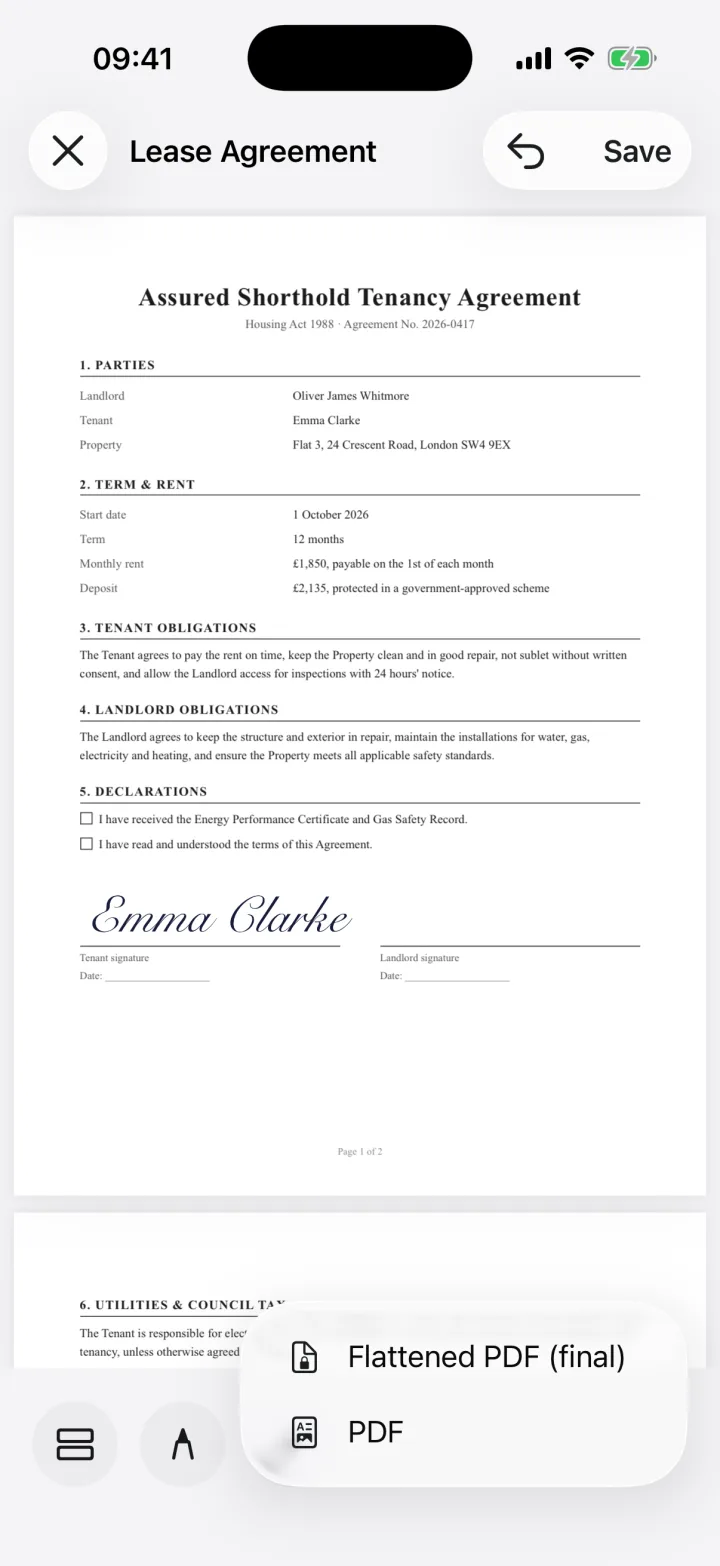
Tap Share and choose Flattened PDF so your entries can't be edited, then send it to the agent or landlord.
For landlords
If you manage your own property, use eSign to countersign the tenancy agreement, inventory and any renewal letters without printing. Keep every signed lease in the app so you can find and resend it later.
eSign signs documents on one device. If you need a tenant and a guarantor to sign in sequence with automatic reminders, a workflow service such as DocuSign is the better tool.
Is an electronically signed lease valid?
In England and Wales, most assured shorthold tenancy agreements are simple contracts that can be signed electronically. Leases that must be made as a deed, typically those over three years, need a witness present. Rules differ in other countries, so check our guides for the UK, Canada and Australia.
Common questions
Can I sign a tenancy agreement on my phone?
Yes. Open the lease PDF in eSign, place your signature on the tenant line, add the date and initials, and share it back as a PDF.
How do I initial every page?
Create your initials once as a separate signature, then add them to each page from the + menu.
Keep reading
Ready when the
next one lands.
Free to try · No account needed