eSign or SignNow?
Sending, or just signing?
SignNow (by airSlate) is a business e-signature service: you upload documents, send them to signers, set a signing order and track their status. A lot of people who search for it just need to sign one PDF on their iPhone and send it back. Here's which tool fits which job.
Updated By Alina Bohuslavska, maker of eSign
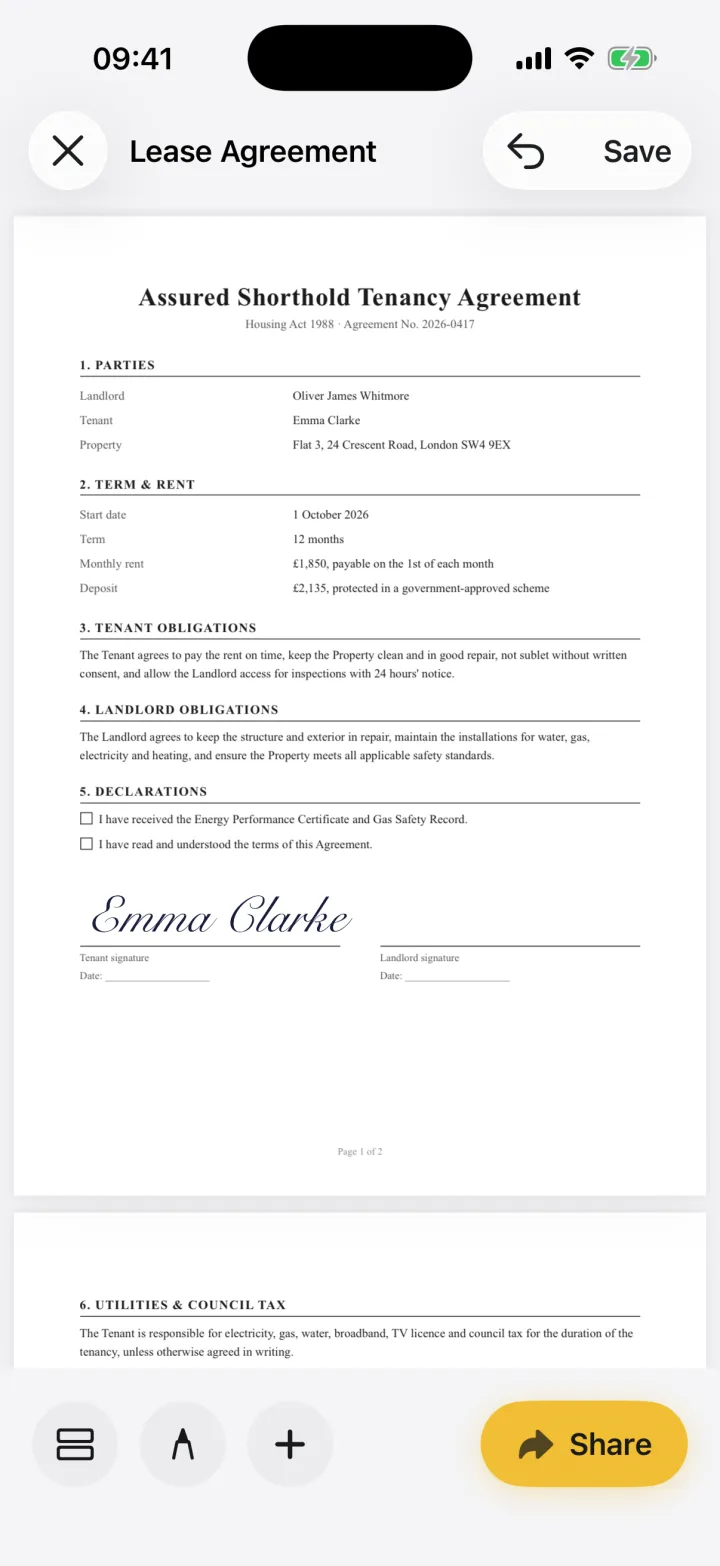

Use SignNow when you need to send documents to other people, set signing roles and keep an audit history. Use eSign when you're the one signing: there's no account, your documents are never sent to us, and you can fill any PDF, including flat forms and paper you scan with the camera.
eSign vs SignNow
| Feature | eSign | SignNow |
|---|---|---|
| Best for | Signing and filling documents you receive | Sending documents to signers and tracking status |
| Account | None | Sign in, for example with Google or Apple |
| Price | Free to try, Pro for unlimited signing | Free download; Business $19.99/month or $95.99/year in the US App Store |
| Where documents live | On your devices and your private iCloud; never sent to us | Synced with your SignNow account |
| Send for signature, signing order | No | Yes, with roles and signing order |
| Audit history | No | Yes |
| Fill flat PDFs and scans | Yes, place your own fields | Yes, fill forms and convert images to PDF |
| Works offline | Yes | Yes, syncs when back online |
Based on SignNow's US App Store listing, October 2026.
If someone sent you a SignNow invite
You don't need eSign for that. Open the invite email and follow its link to sign. The request runs through the sender's SignNow account.
If someone emailed you a PDF to sign
That's where eSign is simpler. Open the PDF, drop your signature on the line, fill in any blanks and send it back. There's nothing to sign up for, and the document is never sent to us.
If you need to send documents for signature
SignNow (or a similar service) is the right tool. It sends a document to several signers in order, tracks who has signed and keeps an audit history. eSign doesn't do that, and we'd rather tell you now than have you find out later.
Common questions
Is SignNow free?
The SignNow app is free to download, with in-app subscriptions. In the US App Store, SignNow Business is $19.99 a month or $95.99 a year, and the listing offers a free trial.
Does eSign need an account?
No. There's no sign-up, email or password. Open the app and sign.
Can eSign send documents for others to sign?
No. eSign is for signing and filling documents yourself. You can share the signed PDF with anyone.
Keep reading
Ready when the
next one lands.
Free to try · No account needed